
table of contents
Most Okta access reviews miss the same problem: the accounts that look harmless on paper but still carry too much power. The role may be old, inherited through a group, or tied to a job that changed six months ago.
That is where hidden privilege risk grows. If you audit Okta admin roles with a focus on who has access, how they got it, and whether they still need it, you can cut out a lot of quiet exposure before it turns into a real incident.
The biggest risk often comes from access nobody can explain in one sentence.
The anatomy of hidden privilege risk
Hidden privilege risk in Okta usually shows up in plain sight, but not in obvious ways. A user may not look like a super admin, yet they still gain admin power through group membership, role overlap, or an old assignment that nobody removed.
The first thing to watch is standing access. If someone has permanent admin rights when they only need them during certain tasks, the attack window stays open every day.
Next, check group-based access. Group membership can hide privilege inside another layer, which makes the audit harder and the ownership less clear. That matters because one group change can affect many accounts at once.
Also look for inactive accounts, duplicate admins, and stale job mappings. These are common places where permission drift hides.
For a broader review structure, IAM audit best practices is a useful companion guide. It helps frame the audit as both a security and governance task, not just a clean-up exercise.

What to check before you touch a role
Start with the full admin roster. You need a clean list of every user with an Okta admin role, every custom role, and every group that grants admin power.
Then map each role to a real business need. Ask who approved it, when it was approved, and what task it supports today. If nobody can answer that in a few minutes, the role probably needs review.
The table below gives a quick way to sort what matters most.
| Risk signal | Why it matters | What to check |
|---|---|---|
| Direct assignment to a high-risk role | Easy to miss during spot checks | Confirm the owner, approver, and review date |
| Group-based admin access | The privilege hides inside another group | Inspect group members and any nested grants |
| Inactive or duplicate admin accounts | Unused accounts still have power | Disable, remove, or reassign access |
| Overlapping admin roles | People collect more privilege than they need | Compare each role to job duties |
A focused audit should also check sign-in controls. Admin accounts should use strong MFA, re-authentication rules, and device or network restrictions where your policy allows it. A role review without sign-in review leaves a gap wide enough for abuse.
For another useful reference point, auditing and monitoring in IAM shows how review and detection work together. That matters because privilege reviews catch bad access, while monitoring catches bad behavior.
A practical Okta admin role audit flow
A good audit needs a repeatable path. Otherwise, the review becomes a one-time clean-up that fades fast.
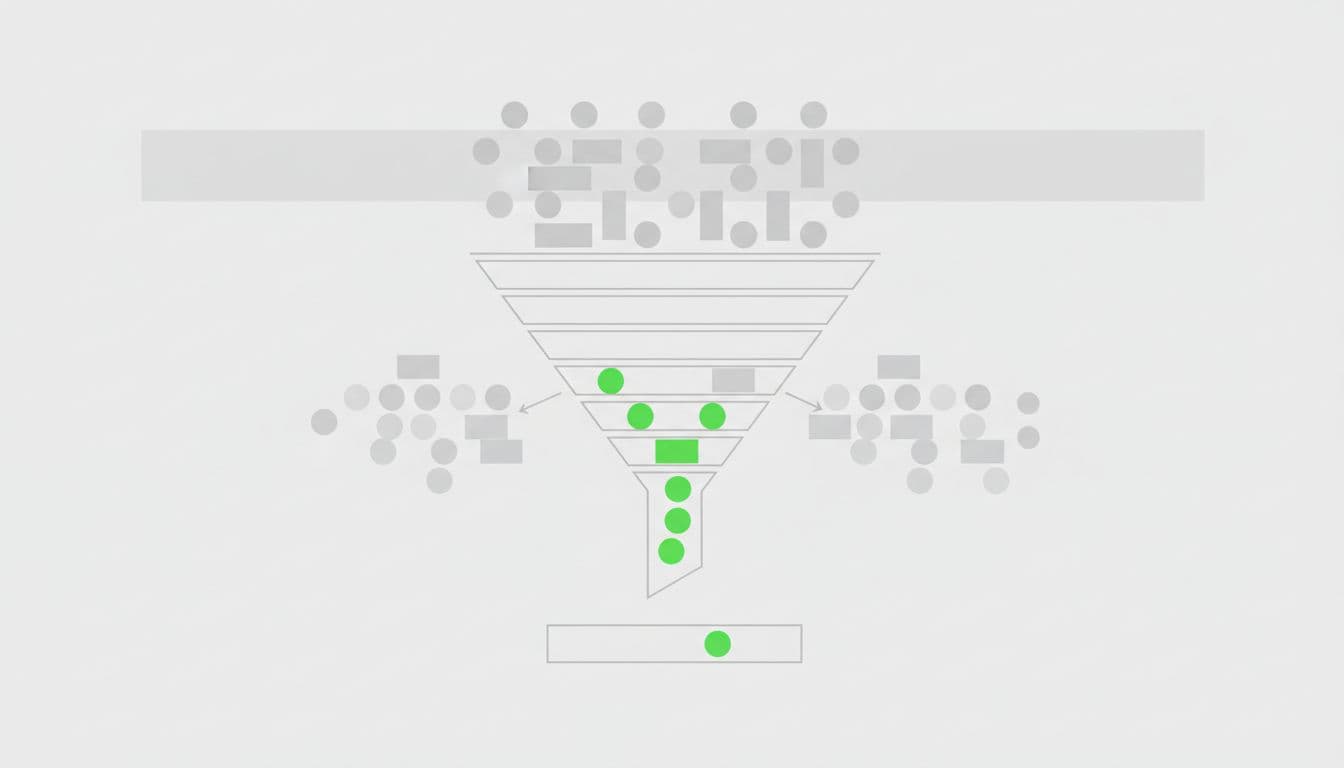
- Export the current role set.
Pull the full list of Okta admin roles, custom roles, and role assignments. Keep the export dated so you can compare it later. - Sort by privilege first.
Review Super Admin and other high-impact roles before low-risk ones. A single privileged account can outweigh a dozen minor ones. - Trace how access was granted.
Separate direct assignments from group-based access and any time-bound elevation. This step often exposes the hidden path that spot checks miss. - Compare each role to the job.
Match the admin role to the person’s current duties, not last year’s title. If the role no longer fits, flag it for removal or downgrade. - Review usage and recent activity.
Check the Okta System Log for privilege grants, role changes, failed admin sign-ins, and unusual actions. A dormant admin account still matters if it keeps a privileged role. - Remove, reduce, or time-box access.
Permanent access should be the exception. In many cases, a just-in-time or temporary access pattern is safer and easier to defend. - Record the decision.
Save who approved each role, who reviewed it, and when the change happened. That evidence helps during audits and later reviews.
If you want a deeper checklist for access reviews, IAM best practices can help tighten the process. It pairs well with a log review and a clear approval trail.
Hidden risk patterns that slip past teams
Some issues show up again and again. They are easy to miss because they look normal during a busy review cycle.
- Old emergency access that never expired: A break-glass role granted during an incident can stay active for months.
- Shared admin groups with vague names: If a group name says nothing about purpose, ownership gets murky fast.
- Too many admin groups on one person: The combined access can become broader than any single role suggests.
- No second reviewer: The same manager who requested access should not always be the one who signs it off.
- Inactive accounts with inherited privilege: An account may be disabled in one place and still privileged in another.
These are not rare edge cases. They are common mistakes that build up because no one owns the cleanup.
A strong audit treats each of them as a real finding, not a minor admin issue. That mindset matters, because privilege drift rarely arrives in one big jump. It grows through small exceptions.
How to keep the review going
A clean audit only helps if the next one is easier. Build a cadence that fits the way your team actually works.
Monthly reviews make sense for highly privileged roles. Quarterly reviews may be enough for lower-risk admin access, as long as the process stays strict. Either way, set a fixed owner, a fixed reviewer, and a fixed evidence trail.
Access certification campaigns help here. They force app owners or managers to re-approve admin access on a schedule, which keeps old decisions from living forever. Pair that with alerts for new role grants and changes to admin groups.
It also helps to standardize the removal path. If every revoked role follows the same ticket, approval, and log review flow, the audit gets faster each time.
For teams that need help tightening the process or building a review program, Book a Discovery Call with Bud Consulting to talk through the next step.
Conclusion
The hardest part of auditing Okta admin roles is not finding the obvious super-user. It is spotting the account that looks normal but still has more power than it should.
When you review how access was granted, whether it still matches the job, and whether sign-in controls match the risk, hidden privilege gets much easier to spot. Keep the process simple, document every change, and treat standing access as something that needs a clear reason.
FAQ
What is hidden privilege risk in Okta admin roles?
It is admin access that does not look risky at first glance, but still gives a user more power than they need. The risk often comes from group-based access, stale assignments, or old roles that nobody removed.
How often should Okta admin roles be reviewed?
Review high-risk admin access monthly if you can. For lower-risk roles, a quarterly review is a good starting point, as long as you also track new grants and log activity between reviews.
What is the fastest way to find overprivileged admins?
Start with the highest-risk roles, then trace each assignment back to a person, a group, or a temporary exception. After that, compare the role to the current job need and remove anything that no longer fits.
Should all admin access be time-bound?
Not always, but permanent access should be rare. Time-bound access works well for tasks that do not need daily admin rights, especially when you want less standing privilege in the environment.