
table of contents
Privileged access reviews slip fast when they depend on memory and scattered reminders. A privileged access review calendar gives each account type a clear date, a named owner, and a documented decision trail.
That matters because admin accounts, service accounts, emergency access, third-party access, and executive access do not carry the same risk. When you treat them the same, reviews become noisy and weak. The faster path is to sort access by sensitivity, then map each group to a review cadence that fits the risk.
Start with a clean inventory, then group accounts by sensitivity
A strong calendar begins with a complete account list. Pull data from IAM, PAM, cloud consoles, directory services, and any manual exception logs. Then group each account by what it can do, not by job title.
High-risk accounts usually have broad production access, user creation rights, or the ability to bypass normal controls. Medium-risk accounts may touch critical systems but have narrower scope. Lower-risk privileged accounts still need review, but they can often move on a slower cycle.
For practical guidance on access review process design, the privileged user access review process article gives a useful starting point. Google Cloud also explains how temporary elevation and logging support control in its Privileged Access Manager overview.

If you cannot explain why an account has a review date, it probably needs a shorter cadence.
Match each access type to a review cadence
Once the accounts are grouped, assign a cadence that matches their exposure. High-risk access needs more frequent review. Stable, tightly scoped access can move less often, as long as the owner stays accountable.
A simple framework helps teams stay consistent.
| Account type | Suggested cadence | Typical review owner | What to check |
|---|---|---|---|
| Admin accounts | Monthly or quarterly | System owner or IAM lead | Current need, MFA, role scope, unused access |
| Service accounts | Quarterly or semiannual | App owner and operations lead | Ownership, rotation, scope, and dependency |
| Emergency accounts | Monthly | Security lead and system owner | Break-glass use, approvals, and expiry |
| Third-party access | Monthly or quarterly | Vendor owner and business sponsor | Contract need, time limits, and last use |
| Executive access | Quarterly or semiannual | Business owner and IAM lead | Finance, HR, board, or sensitive data access |
Use monthly reviews for emergency access and standing admin rights. Use quarterly reviews for most privileged admin and third-party access. Semiannual reviews fit service accounts that have stable owners and narrow scope. Annual reviews work only for lower-risk privileged access with strong controls and little change.
Google’s best practices for Privileged Access Manager also reinforce the value of time-bound access and tight policy control.

The calendar should follow risk, not convenience. If the date is set by meeting space, the process will drift.
Give each review a real owner and a clear decision path
Every item on the calendar needs one person who can answer for it. In many teams, that is the system owner, application owner, or business sponsor. The IAM or PAM administrator can manage the mechanics, but they should not be the final approver for business access.
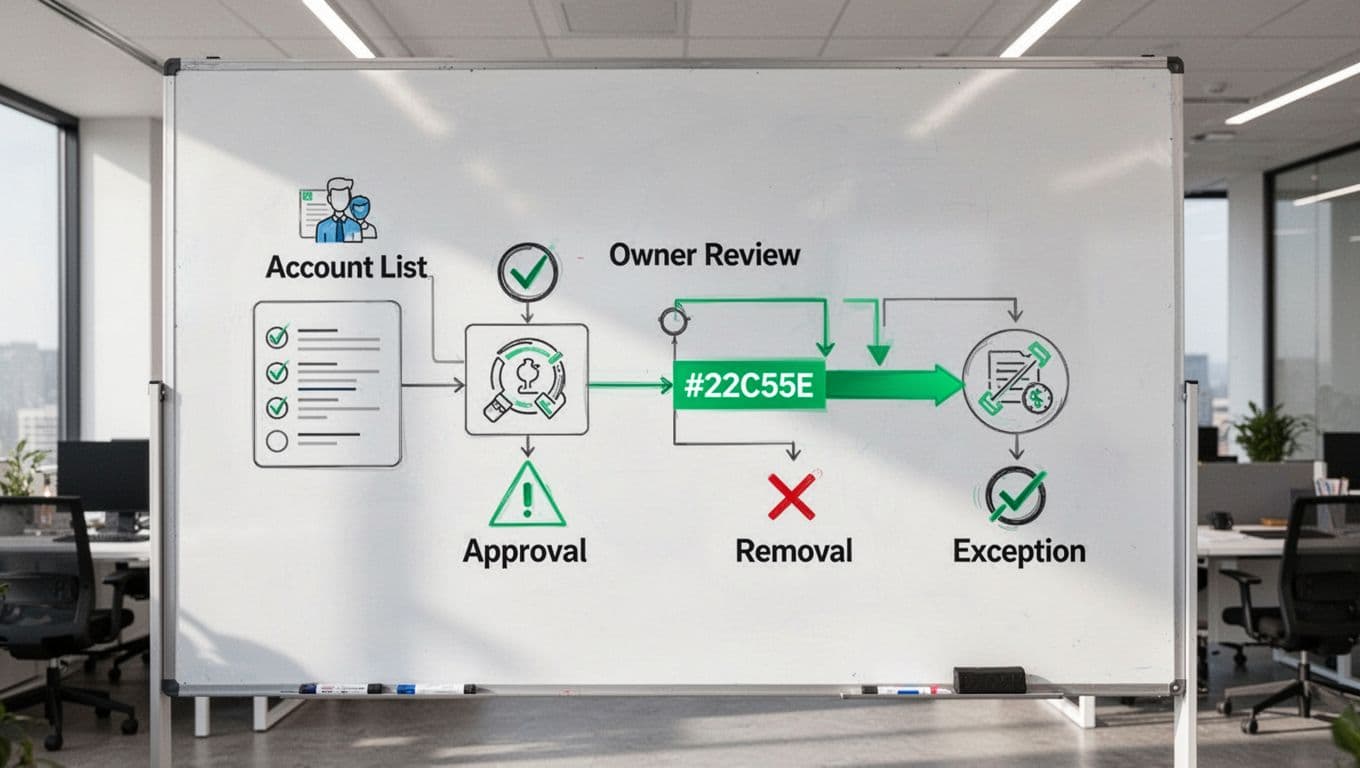
Each review should end with one of three decisions: approve, remove, or exception. Keep the record simple and complete. Capture the reviewer, date, account name, decision, reason, ticket number, and next review date.
For removals, tie the change to an action ticket and verify the access is gone. For exceptions, define the compensating control and the expiry date. If an exception has no end date, it is probably an approval in disguise.
That documentation pattern matters when internal audit asks for proof. It also helps teams compare trends over time, such as repeat exceptions or accounts that stay unused for months. The user access review checklist is useful here because it shows how teams can make the review itself more repeatable.
Keep the calendar useful for SOX, ISO 27001, NIST, and least-privilege work
A good review calendar supports governance work because it creates steady evidence. That evidence can help with SOX control testing, ISO 27001 access control routines, NIST-aligned access management, and least-privilege programs. It does not replace those programs, but it makes them easier to run and prove.
Start by keeping one master view of every cadence. Then track completion dates, overdue items, exceptions, and removals in the same place. Add a monthly exception report so leadership can see which accounts keep slipping through. Besides that, keep evidence in a folder structure that matches the calendar, so audit requests do not turn into a scavenger hunt.
A calendar also helps teams spot weak spots. For example, if executive access gets approved every quarter but removed only once a year, the process needs a tighter rule. If service accounts keep reappearing without owners, the inventory needs a cleanup.
If you need help turning policy into a working review process, Book a Discovery Call with Bud Consulting.
A privileged access review calendar works best when it is boring, consistent, and owned. Group the accounts by risk, set the cadence by exposure, and record every decision cleanly. That way, reviews stop feeling like a scramble and start acting like control.




