
table of contents
Shared admin accounts look convenient until you need an answer fast. When one login is used by several people, ownership gets blurry and audit trails get weak.
That creates trouble across collaboration tools, CRM platforms, project managers, cloud storage, and finance apps. If several people can act as “admin”, who can prove who changed what?
A good audit does not start with guesswork. It starts with data, clear ownership, and a short list of high-risk patterns.
Why shared admin accounts are hard to spot
Shared admin accounts often hide behind names like admin@, support@, ops@, or team inboxes. They also hide inside old workflows, where access was handed out before the company had strong controls.
The risk grows fast because admins can change permissions, export data, approve sharing, and reset access. In a collaboration suite, one shared admin can alter workspace settings. In a CRM, that same pattern can expose customer records. In cloud storage, it can open file sharing to the wrong people.

A shared admin login hides accountability. It also turns one stolen password into many app-level changes.
If you want a broader view of how these accounts show up, JumpCloud’s guide to shared SaaS accounts is a useful reference.
Gather the evidence before you guess
Before you label an account as shared, pull evidence from more than one source. One log rarely tells the whole story.
Start with these data sets:
- Audit logs for admin actions, permission changes, sharing events, and exports.
- SSO and IdP data for sign-ins, devices, IPs, session times, and user identity.
- MFA records for enrollment, resets, bypasses, and phone or token changes.
- Provisioning data for account creation, role assignment, offboarding, and SCIM activity.
- Role and permission exports for who has admin rights today.
These sources help you compare the person on paper with the person behind the action. If the same account logs in from different regions, different devices, or odd hours, that deserves a closer look.
For a practical view of access review workflows, SaaS access review workflow guidance can help you structure the process.

Read the logs for shared-account patterns
Once the data is in hand, look for patterns that do not fit a single owner. Shared admin accounts often leave a mess of mixed signals.
Watch for repeated admin activity from unrelated users. One account may approve file sharing in the morning, then change CRM permissions from another office in the afternoon. In project management tools, you may see board edits, workflow changes, and user invites coming from different time zones. In finance systems, the same login may approve payments and then change payout details.
Common signs include:
- Multiple IP addresses that do not match one employee’s normal location.
- MFA resets that happen too often.
- Admin sessions that overlap with different working hours.
- Logins that line up with several people on the same team.
- Provisioning records that name one owner, while the usage pattern points to many hands.
Also check whether the account belongs to a real person or a mailbox that no one owns. Generic names are often the first clue. A named admin with a known manager is easier to audit than a shared login that lives in a team inbox.
Separate break-glass access from real sharing
Some shared access is temporary and legitimate. Break-glass accounts, vendor support access, service accounts, and automation bots can all be valid exceptions.
The key is control. Each exception needs a documented owner, a business purpose, and a review date. Break-glass access should be rare, stored in a vault, protected with MFA, and monitored every time it is used. If a vendor needs access, grant it for a short window and remove it when the job ends.
Use shared SaaS account patterns as a guide for what should raise concern, then separate those cases from approved exceptions. If the exception has no owner or no expiry, treat it like a problem, not a workaround.
Turn the review into a cleanup plan
The audit has little value if the findings sit in a report. Cleanups work best when you move in a simple order.
- Create unique named admin accounts for each real person.
- Assign roles based on job need, not habit.
- Turn on MFA for every admin, including break-glass where possible.
- Rotate any shared credentials that must stay in place for a short time.
- Remove old shared logins after the new model is live.
- Document ownership and set the next access review date.
This is where role-based access control matters. When each person has a named account, you can trace actions, review permissions, and offboard cleanly. That also helps in audits, because the evidence is easier to follow.
If the cleanup gets stuck, Book a Discovery Call with Bud Consulting to talk through the access model and review process.
Final audit checklist for SaaS admins
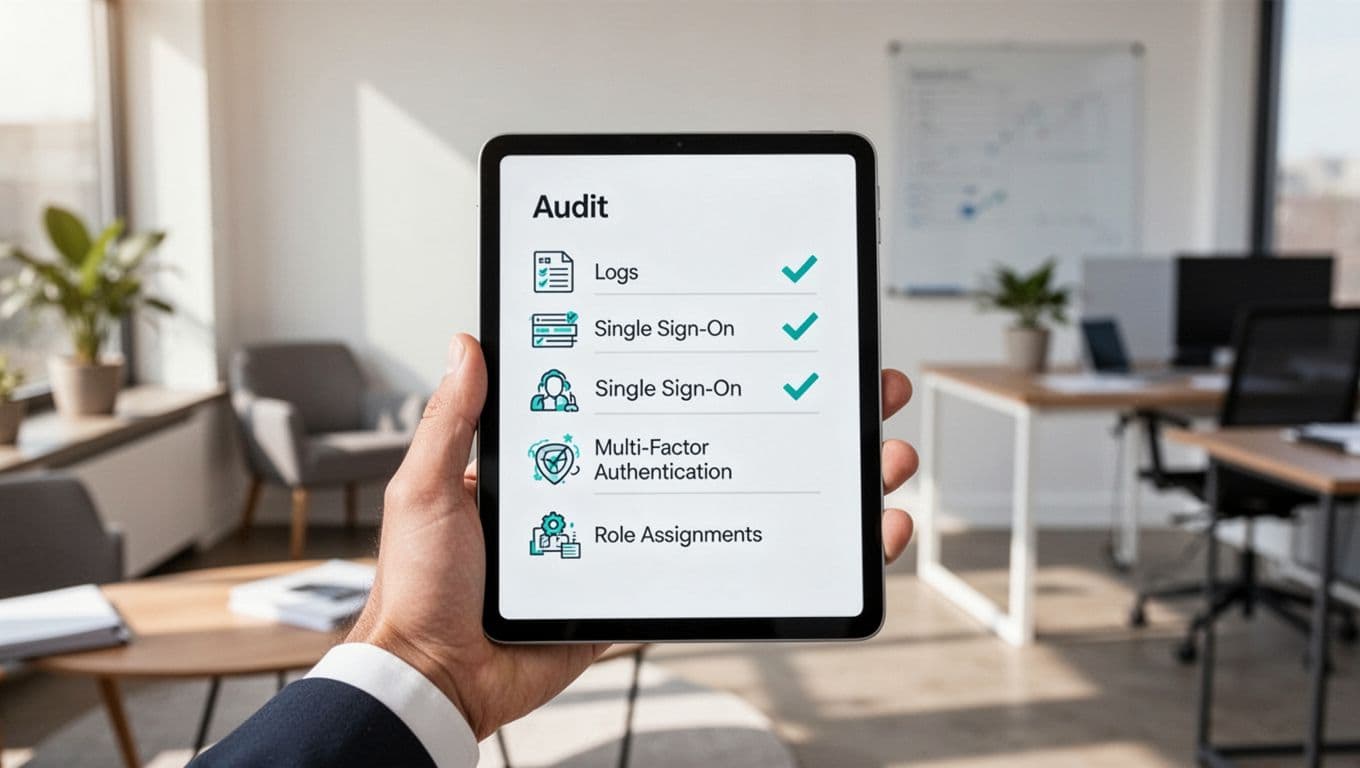
Use this list before you close the review:
- Export all admin roles from each SaaS tool.
- Match each admin account to one named employee or approved exception.
- Compare audit logs with SSO and IdP sign-ins.
- Check MFA enrollment, resets, and bypass events.
- Review provisioning records for stale or duplicate access.
- Confirm each exception has an owner, purpose, and expiry.
- Replace shared admin logins with named accounts where possible.
- Set the next periodic access review on the calendar.
A clean SaaS admin review gives you more than compliance proof. It gives you accountability, better incident response, and fewer hidden surprises the next time someone asks who had access.
Shared admin accounts are easy to ignore until they become the fastest path to a bad outcome. Keep ownership clear, keep logs tied to real people, and keep the review cycle moving.




