
table of contents
DNS records are public by design, but that doesn’t make every record harmless. A DNS security audit helps you separate normal visibility from exposure that can aid phishing, host discovery, or takeover attempts.
The goal is simple, check what outsiders can see, then decide whether each record is expected, stale, or risky. A quick review often finds old subdomains, forgotten mail settings, and naming clues that should have been removed months ago.
Start by separating normal records from real exposure
Public A, AAAA, CNAME, MX, NS, SOA, and TXT records are part of how the internet works. You should expect people, scanners, and mail systems to see them. The risk starts when those records reveal more than they need to, or when they point to services that no longer belong to you.
Public DNS is expected to be visible. Exposure starts when records reveal more than they need to.
NIST’s 2026 DNS guidance, covered well in Infoblox’s summary of DNS security best practices, treats DNS as part of your security posture. That matters because attackers use DNS as a map. They read TXT, MX, and NS records to find mail paths, hosting providers, and old assets.
A healthy review starts with that mindset. You are not trying to hide normal DNS. You are checking for weak spots that help an attacker connect the dots.
Use dig, nslookup, host, and online lookup tools
A fast audit usually begins with command-line checks. If you want a broader walk-through of the basics, using dig, nslookup, and host for DNS diagnostics is a useful reference.
| Tool | What to run | What to look for |
|---|---|---|
| dig | dig example.com MX | Mail routing and host names |
| nslookup | nslookup -type=txt example.com | SPF, DKIM, DMARC, and stray TXT values |
| host | host -t ns example.com | Authoritative name servers |
| Online lookup | MxToolbox DNS Lookup or dig web interface | A quick cross-check from another view |
Run specific queries first. dig example.com mx, dig example.com txt, and dig example.com ns give you the clearest signals. dig example.com any can help with a broad look, but some servers limit that response, so don’t rely on it alone.
Use at least two sources. A browser-based lookup and a terminal result can expose mismatched caches, stale data, or odd delegation paths. That difference is often where hidden issues show up.

Spot the exposure patterns attackers use
A public record is not a problem by itself. A record that gives away stale systems, internal names, or weak mail controls is another matter.
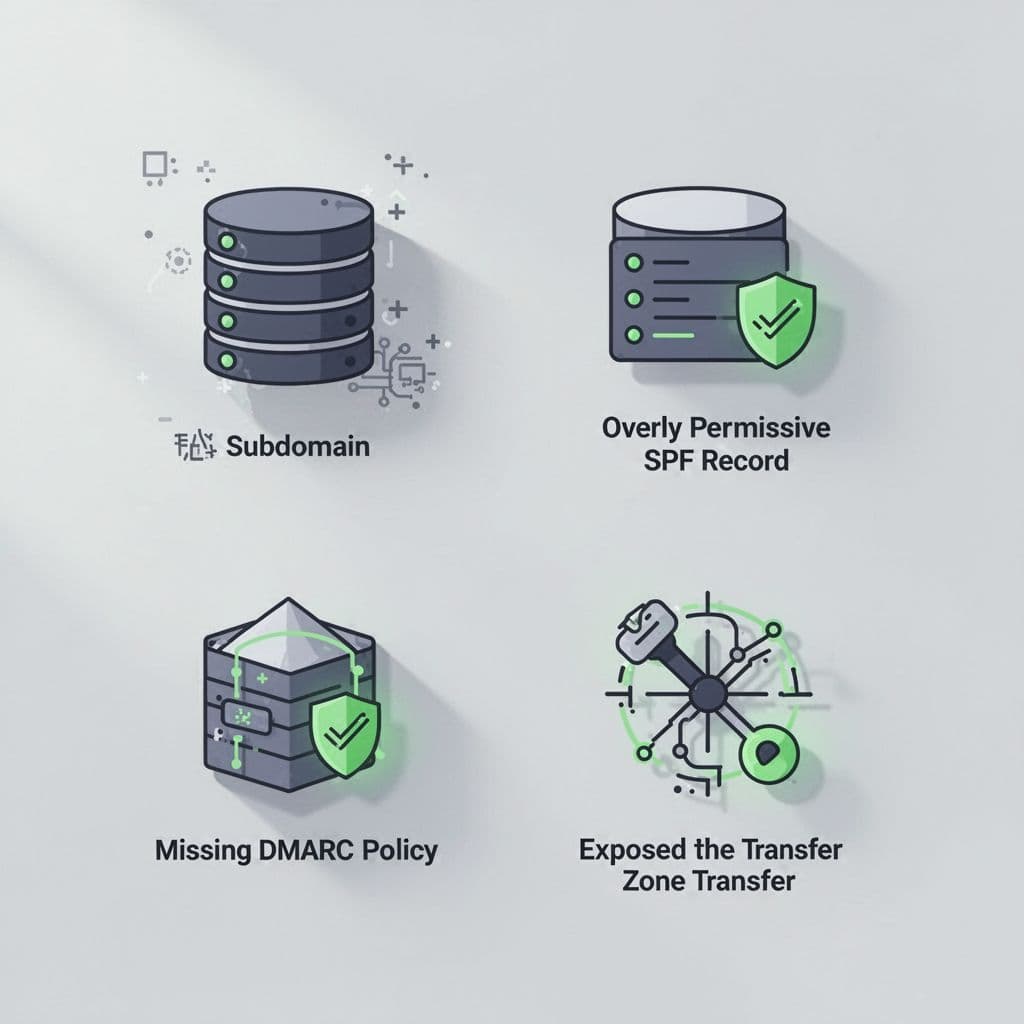
Watch for these patterns during every review:
- Stale subdomains: Old dev, test, or cloud hostnames that still resolve. If they point to dead infrastructure, they can become takeover candidates.
- Overly permissive SPF: Records with long
include:chains,+all, or too many DNS lookups. That weakens sender control and can break delivery. - Missing DMARC: If DMARC is absent, you lose enforcement and useful reporting. In 2026, that’s a real gap, not a nice-to-have.
- Exposed internal hostnames in TXT: Verification records can leak vendor names, VPN clues, or internal project names.
- Misconfigured MX or NS records: Old mail servers, wrong priorities, or nameservers that don’t match your current setup.
- Zone transfer exposure: If an attacker can pull the whole zone, they get a clean inventory of your records.
A good example is a TXT record that looks harmless at first glance. If it contains mail-old-east.example.com or a retired SaaS name, it still gives away useful context. The same goes for MX records that still point to a discontinued mail gateway.
Zone transfers need special care. Test them only on systems you own or have permission to assess, for example with dig axfr example.com @ns1.example.com. A successful transfer is a serious finding because it can reveal the full zone in one shot.
Check email authentication before attackers do
Email records deserve their own pass because they often cause the biggest mix of security and deliverability problems. In 2026, clean SPF, DKIM, and DMARC records are baseline hygiene, not advanced tuning. A practical SPF, DKIM, and DMARC setup guide helps here, and broken SPF plus no DMARC is a good reminder of what goes wrong.
Keep SPF tight. Every extra sender and nested include makes the record harder to manage. The 10-lookup limit still matters, and a bloated record can cause your own mail to fail while spoofers keep trying.
DMARC should exist on every active domain. Start with reporting if you need visibility, then move to quarantine or reject once the data looks clean. That gives you control over who can send as your domain and how receivers should treat bad mail.
DKIM also needs attention. Keys should be current, aligned to the domain, and rotated on a sensible schedule. If you use multiple vendors, review each one instead of assuming the default setup is fine.
Use a short audit workflow you can repeat
A DNS review works best when it follows the same path every time.
- List every public zone you own, including parked, acquired, and test domains.
- Pull A, AAAA, CNAME, MX, TXT, NS, and SOA records with
dig,nslookup, andhost. - Compare results with one online lookup tool to catch stale caches or delegated changes.
- Flag stale subdomains, unknown TXT values, old mail hosts, and mismatched name servers.
- Test SPF, DKIM, and DMARC against live mail paths, then fix the weak spots.
- Check zone transfer settings on authorized assets, and fail closed if anything looks loose.

If the review turns up multiple stale records, unknown providers, or messy email paths, it helps to get a second set of eyes. You can Book a Discovery Call with Bud Consulting to talk through external exposure and remediation priorities.
A good DNS review does not chase every public record. It focuses on the records that expose more than they should, or that no longer match reality. That is where security exposure starts.
When DNS is clean, it tells a simple story. When it isn’t, the leftovers, stale names, weak mail auth, and loose delegation usually give the first warning.




