table of contents
Exposed endpoints in your API gateway act like unlocked doors in a high-security building. One slip-up, and attackers gain free access to sensitive data or backend services. You manage microservices across cloud environments, so regular audits keep risks low.
Recent breaches show why this matters. Authentication bypass flaws, like CVE-2026-3041 in Kong and AWS setups, topped vulnerabilities in early 2026. Broken access controls hit 23.5% of API incidents. A solid API gateway audit spots these before they turn costly.
Let’s walk through the process step by step. Start with your setup, then dig into routes and configs.
Understand Your API Gateway Setup
API gateways sit at the edge of your architecture. Clients hit them first. The gateway routes traffic to microservices, handles auth, and enforces policies. Common ones include AWS API Gateway, Kong, and NGINX.
Know your flow to audit effectively. Frontend apps or mobile clients send requests. The gateway checks tokens, applies rate limits, then forwards to backends like Lambda or Kubernetes pods.

This diagram shows a typical setup. Secure paths use auth layers. Weak spots often hide in routes or policies. Map yours first. List gateways, stages, and integrations. Tools like AWS Console or Kong Manager help.
Vendor configs vary. AWS uses stages and methods. Kong relies on services and routes. Document everything. This baseline reveals drifts later.
Step 1: Inventory All Routes and Endpoints
Build a full list of routes. Exposed ones lack auth or sit public by default.
Pull configs from your gateway dashboard. In AWS API Gateway, export OpenAPI specs or use CLI: aws apigateway get-rest-apis. Kong users run kong routes list. NGINX checks nginx.conf locations.
Scan for patterns. Look for /admin, /health, or * wildcards. Test each with curl: curl -v https://your-gateway/api/endpoint. Note 200 responses without auth.

Common misconfigs include forwarding admin APIs publicly, as seen in Kong deployments analyzed by Trend Micro. No firewall rules expose whole instances too.
Cross-check with logs. CloudWatch or Kong logs show hit endpoints. Inventory gaps mean blind spots. Update your asset list now.
Check Authentication and Authorization Gaps
Auth failures top API risks. Verify every route requires it.
Review authorizers. AWS offers IAM, Cognito, or Lambda. Kong uses plugins like key-auth or OAuth. Ensure none use “NONE” or defaults.
Test bypasses safely. Send requests without tokens. Valid ones should fail with 401. Check JWT claims too. Long expiries or “alg: none” weaken them.
OWASP API Top 10 guide outlines workflows. It stresses tenant isolation. One ID swap exposes others’ data.
Apply least privilege. RBAC limits actions by role. Audit logs confirm enforcement.
Review Rate Limiting and CORS Policies
Rate limits stop abuse. No limits invite DDoS or brute-force.
Inspect configs. Kong’s rate-limiting plugin sets minute/hour caps. AWS uses usage plans. Test with tools like Apache Bench: ab -n 1000 -c 10 https://your-gateway/.
CORS misconfigs leak data cross-origin. Gateways set headers like Access-Control-Allow-Origin. Lock to trusted domains only. Public * invites risks.
Recent best practices call for IP filtering and anomaly detection. Tools like Datadog monitor spikes.
Inspect Gateway-to-Backend Mappings
Mappings route to services. Leaks happen if backends expose internals.
Trace each route. AWS integrations point to Lambda ARNs. Kong services link upstreams. Verify no direct backend exposure.
Check resource policies. AWS defaults allow *. Add conditions for IPs or VPCs. Toc Consulting’s AWS guide flags this as common.
Validate with traffic replay. Ensure gateways proxy, not bypass.
Hunt for Shadow, Legacy, or Undocumented APIs
Shadow APIs evade docs. Legacy ones linger post-deprecation.
Crawl your domain. Tools like Fendix scanner probe live for hidden paths. Review git history for old OpenAPI files.
Logs reveal undocumented hits. Deprecate safely: announce, throttle, then kill.
Inventory validation catches these. Automate with CI/CD scans.
Your API Gateway Audit Checklist
Use this quick reference. Run it quarterly or post-deploy.
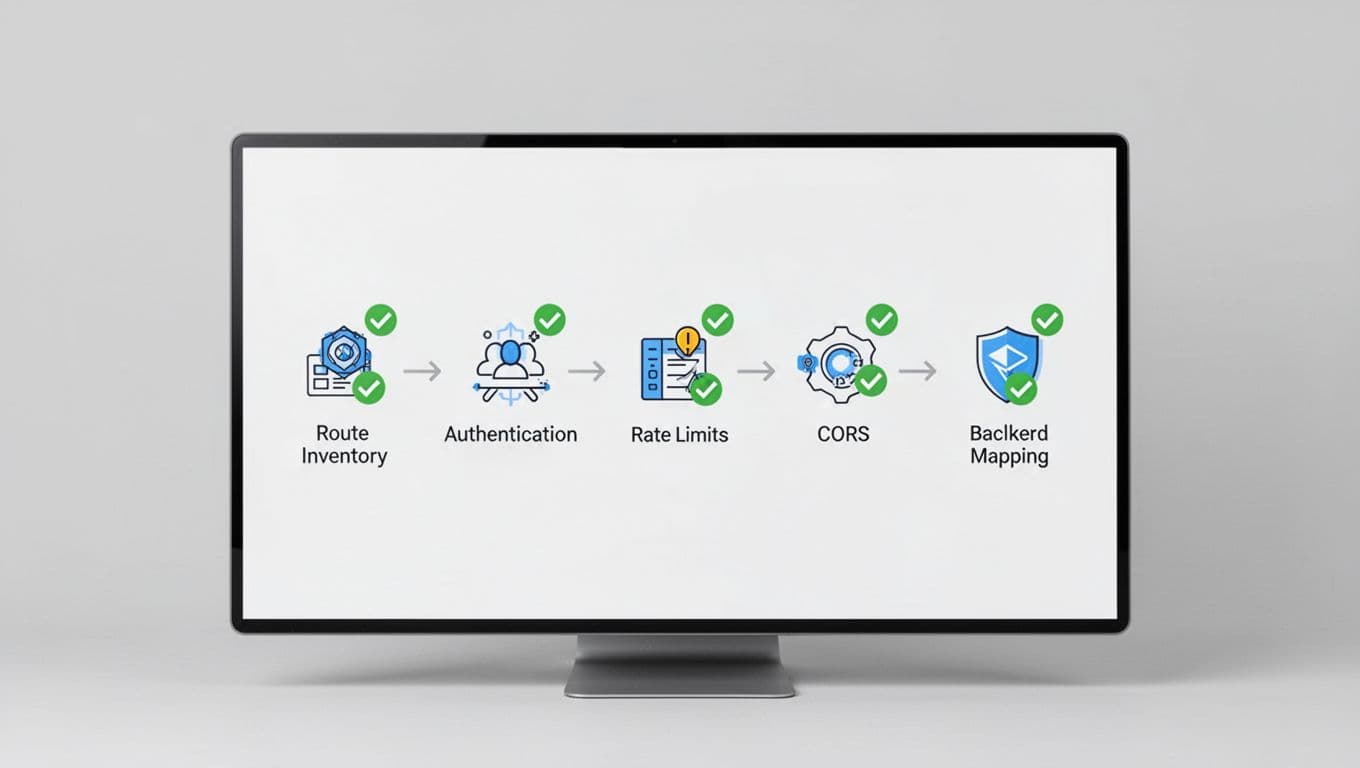
- Inventory routes via CLI or dashboard.
- Test auth on all: expect 401 without tokens.
- Confirm rate limits trigger 429.
- Lock CORS to specific origins.
- Map backends; no direct access.
- Scan logs for shadows.
- Enable access logs and WAF.
Examples: Missing SSL client cert rotation or no CloudWatch metrics, per Cloudanix audits.
Set Up Secure Auditing and Continuous Monitoring
Audits work best ongoing. Least privilege limits blast radius.
Integrate scanners like KrakenD audit into pipelines. SIEM pulls logs for alerts.
For complex setups, book a discovery call with Bud Consulting. They vet API security talent too.
Zero-trust verifies every request. Rotate certs. Monitor with ML for anomalies.
Key Takeaways
Regular API gateway audits close exposure gaps fast. Inventory routes, fix auth holes, and monitor continuously. You cut risks from vulns like CVE-2026-3041.
Start today. One overlooked endpoint costs more than the audit time. Secure your edge now.
(Word count: 982)