table of contents
Email spoofing happens when bad actors send messages that look like they come from your domain. This practice damages your brand reputation and puts your contacts at risk of phishing attacks. You can stop these unauthorized messages by auditing your email authentication records. An SPF, DKIM, and DMARC audit validates your technical setup and ensures your domain is genuinely protected.
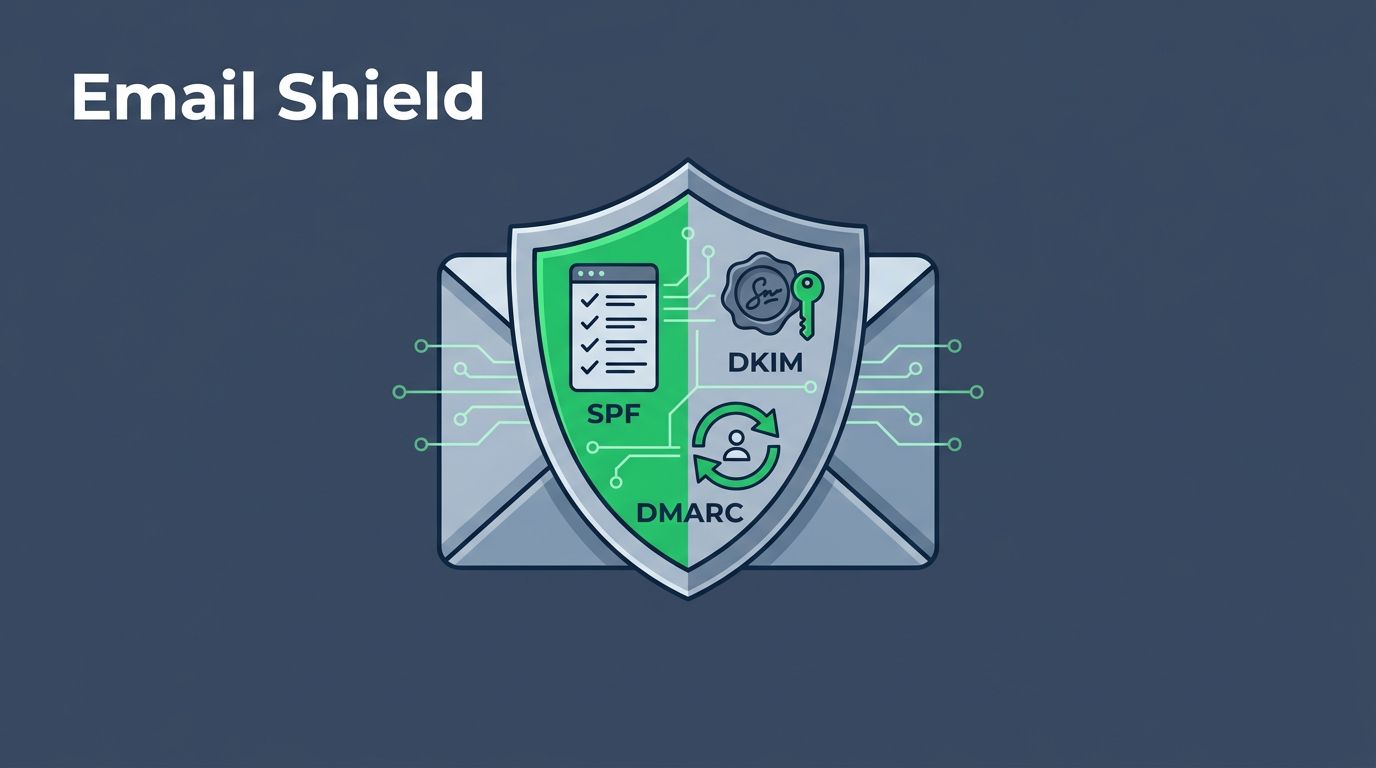
These three protocols work as a security triad. SPF lists your authorized sending servers, DKIM adds a digital signature to your messages, and DMARC provides instructions to receiving servers on how to handle failures. Performing a regular audit reveals if your current settings are too weak or if you have gaps that hackers could exploit. If you need support with these technical tasks, you can always Book a Discovery Call with Bud Consulting to strengthen your defenses.
Understanding Your Email Authentication Baseline
Before you start an audit, you need to know how these systems work together to guard your identity. SPF tells receiving servers which IP addresses are authorized to send mail for you. DKIM verifies that the content of your email has not changed since it left your server. DMARC ties these two together and gives you a way to see what is happening with your domain.

When these records are missing or misconfigured, it is much easier for someone to mimic your domain. An audit identifies whether your records are missing, invalid, or simply outdated. Proper authentication makes it difficult for impersonators to land their fraudulent emails in your customers’ inboxes. Following a solid email authentication guide helps you grasp these concepts before moving into the technical weeds of your specific DNS settings.
Common Misconfigurations That Leave You Exposed
Many organizations have well-intentioned security settings that fail in practice. One common error involves the SPF record. A domain might list too many authorized senders, exceeding the 10-lookup limit allowed by DNS specifications. When this happens, the entire SPF check fails, which could cause legitimate emails to go to spam folders.
Another frequent problem is a loose DMARC policy. Many administrators set their policy to “none” when first starting, which acts as a monitor-only mode. While this is helpful for testing, leaving it there for too long provides no actual protection against spoofing. You must move toward “reject” status to tell receiving mail servers to block unauthorized messages entirely.
DKIM issues often stem from expired or missing keys. If you change your email service provider but keep old public keys in your DNS, those signatures will not match properly. You can verify your email authentication settings to ensure these cryptographic signatures are actually valid for your current active services.
Step-by-Step Audit Workflow
Executing a thorough review requires a methodical approach. Start by listing every service that sends email on your behalf, including marketing platforms, CRMs, and internal help desk tools. If a service is not in your records, it might get flagged incorrectly.

Follow these steps to conduct your review:
- Identify your sending sources by checking your DNS records for SPF, DKIM, and DMARC tags.
- Validate your current SPF record for syntax errors and ensure you are under the lookup limit.
- Verify that each sending platform has an active DKIM key associated with a specific selector.
- Review your DMARC aggregate reports to see if legitimate email is being marked as failing.
- Update your DMARC policy from “none” to “quarantine” or “reject” once you confirm that legitimate mail is passing.
Using a systematic approach to mastering email deliverability allows you to tighten security without disrupting your daily operations. Test your changes by sending emails from each source to a controlled address, then inspect the authentication headers in the received message. Look specifically for “pass” results in your SPF and DKIM checks.
Practical Audit Checklist
Keep this checklist handy during your next review to make sure you do not miss critical components.
| Component | Task to Perform | Success Goal |
|---|---|---|
| SPF | Count the number of ‘include’ mechanisms | Fewer than 10 lookups |
| SPF | Check for valid ‘all’ mechanism | Use ‘-all’ or ‘~all’ |
| DKIM | Verify selector exists in DNS | Public key matches private key |
| DMARC | Confirm ‘v=DMARC1’ tag is present | Valid record syntax |
| DMARC | Check ‘p=’ policy tag | Set to ‘reject’ or ‘quarantine’ |
Confirming each item on this list provides a solid foundation for your email security. When you reach the goal state, your infrastructure is much more difficult to exploit. If you find your setup is consistently failing these checks, you may need to reconsider your DNS management or email service configuration.
Frequently Asked Questions
Why does my SPF record keep failing? SPF often fails because of the 10-lookup limit. If you include too many third-party services in your record, the DNS check stops early and treats it as a failure. You might need to use a flatter record or a dedicated service to manage your SPF includes.
What is the difference between quarantine and reject? Quarantine tells receiving servers to send suspicious emails to the spam folder. Reject tells them to block the email entirely so it never reaches the recipient. Once you have a high volume of authenticated mail, moving to reject is the safest way to prevent spoofing.
Do I need a new DKIM key for every service? Yes, each service requires its own unique public and private key pair. You publish the public key in your DNS and the service holds the private key to sign your outgoing emails. Never share these keys across different platforms.
How long should I keep DMARC at p=none? You should keep it at ‘none’ until your reports show that nearly all your legitimate email is passing authentication. This usually takes a few weeks of consistent monitoring. Once you are confident, move gradually to ‘quarantine’ before reaching ‘reject’.
Can I manage these records alone? Yes, you can manage these records manually through your DNS provider. However, many organizations use specialized tools to automate the monitoring and reporting of DMARC. These tools simplify the process of analyzing large volumes of data.
Strengthening Your Security Posture
Securing your domain is not a one-time project. New services get added to your stack, and old ones fade away, which means your authentication records require regular updates. A consistent audit schedule ensures that your security posture stays strong as your company grows.
By removing unauthorized senders and enforcing strict policies, you protect your recipients from fraudulent messages sent in your name. This is a primary step in preventing social engineering and maintaining trust with your clients. Focus on moving your DMARC policy toward full rejection while keeping your SPF and DKIM records clean. Your proactive approach to email authentication is a major asset in a professional security environment.