table of contents
A clean scan report can still hide the exposures that matter most. Public storage, weak identity paths, and forgotten admin ports often sit in plain sight.
An exposure validation plan checks what an attacker can reach, chain, and abuse across both cloud and on-prem assets. That makes it different from a vulnerability scan, and far more useful when you need to prioritize real risk.
Why exposure validation is different from scanning
Scanning tells you where known flaws may exist. Traditional assessments tell you whether controls look sound at a point in time. Exposure validation asks a sharper question, can a real path lead from an attacker to a meaningful asset?
That matters because many alerts never turn into usable risk. A high-CVSS finding on an isolated server may matter less than a low-severity misconfig on an internet-facing identity path. The context changes the outcome.
A scan finds candidates. Validation proves exposure.
A good plan fits well with CTEM thinking. For a practical reference, the Checklist for Exposure Validation Solutions in CTEM helps teams judge whether a control shows true exposure or only reports it. Another useful read is Why Adversarial Exposure Validation Belongs in Every CTEM Program, which frames validation as an ongoing discipline, not a one-time event.
Map the assets, identities, and trust paths first
Start with the assets that actually matter to the business. Then tie each one to owners, data types, identity paths, and upstream dependencies. If you skip that work, validation turns into another noisy report.
Cloud and on-prem systems expose different signals, so the checks should reflect that. Cloud tools can surface control-plane risk and internet reachability. On-prem controls often reveal firewall gaps, stale admin rights, and patch drift. Microsoft’s internet exposure analysis shows why public reachability and configuration signals should feed prioritization together.
Here’s a simple way to split the work:
| Area | Cloud checks | On-prem checks |
|---|---|---|
| Identity | MFA coverage, role sprawl, service accounts | AD groups, local admin use, stale VPN access |
| Reachability | Public IPs, open storage, control-plane paths | Firewall rules, exposed services, remote admin ports |
| Drift | IaC drift, policy exceptions, security group changes | Baseline drift, patch gaps, old exception files |
| Evidence | Cloud audit logs, API activity | EDR, SIEM, network logs |
That table only works if you know which assets deserve attention first. NIST CSF 2.0 and CIS Controls v8 both fit well here, because they connect inventory, access, monitoring, and recovery without adding extra noise.
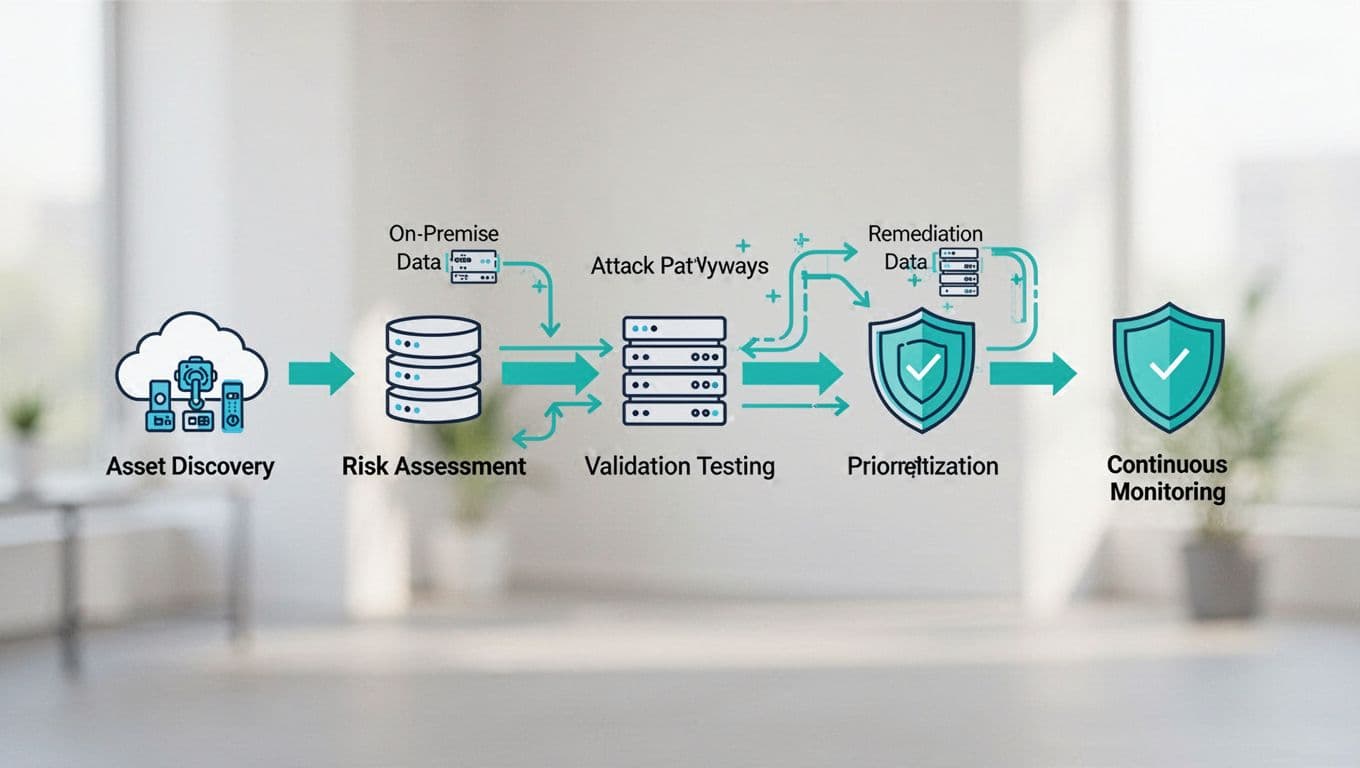
Prioritize by exploitability, not just severity
Severity scores still help, but they can mislead. A medium issue with a live path to sensitive data may deserve action before a critical issue that sits behind three layers of control. That is where attack path context matters.
A useful exposure validation plan weighs four things at once. First, can the asset be reached? Second, can the attacker gain useful access? Third, what can that access touch next? Fourth, what business impact follows if the path succeeds? Once you answer those questions, the queue gets shorter and sharper.
Identity deserves special attention in 2026. Many real incidents start with weak privilege boundaries, not broken software. Stale accounts, overbroad roles, unmanaged service identities, and missing MFA create paths that scans often miss. Misconfigurations matter just as much, especially in cloud, where a small policy change can expose data, compute, or management APIs in minutes.
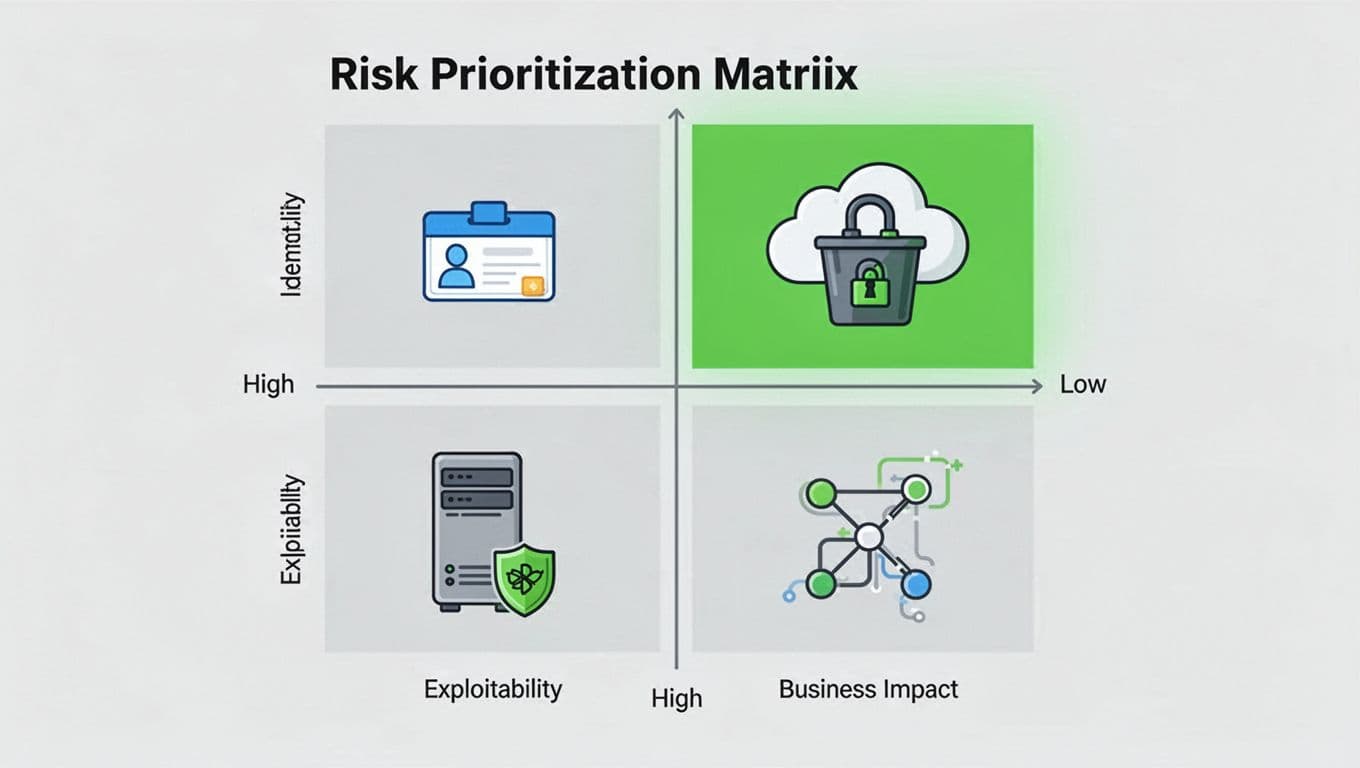
A simple risk matrix helps teams keep the focus on what can be reached and abused, not what looks bad in isolation. When the matrix is tied to live evidence, not guesswork, remediation conversations get faster.
Turn validation results into remediation work
Findings only matter when they move into the workflows your teams already use. That means tickets, owners, deadlines, and retest steps. It also means a clear rule for exceptions, because an exception without an expiry date turns into permanent risk.
A strong process usually includes these moves:
- Assign each finding to one owner, not a group.
- Attach proof, such as paths, screenshots, logs, or test output.
- Set remediation targets by risk tier, not by scan batch.
- Retest after the fix and close the loop quickly.
- Track repeat exposures so you can spot broken controls.
Automation helps here, but only if the handoff is clean. Feed validated findings into ITSM, IAM, EDR, CSPM, firewall review, and change management. Then measure the things that show progress, such as time to remediate, time to validate, and the share of high-risk exposures that stay open past deadline.
For mixed security and IT teams, this is where the plan becomes operational. If you need outside help shaping the workflow or finding the right senior talent to run it, Book a Discovery Call with Bud Consulting can help bridge the gap between tools and execution.
Keep the plan continuous
An exposure validation plan should run after major changes, not just during audit season. New cloud services, identity updates, firewall changes, and patch cycles all create fresh paths. If you wait too long, yesterday’s proof goes stale.
The goal is simple. Prove which paths are open, rank them by real impact, and keep feeding the results into remediation. When cloud and on-prem share the same logic, the team sees risk more clearly and acts with less guesswork.