table of contents
A single cyber attack can wipe out years of hard work for your business. You run a retail shop, manufacturing firm, or service company without a tech team, yet threats like AI phishing hit you just as hard. In May 2026, small and mid-sized non-tech enterprises face ransomware and supply chain breaches that cost an average of $164,000 per incident.
Most owners know they need better protection. The problem is figuring out how much to spend and where, especially with tight budgets. Security budget planning starts with simple steps that match your risks and revenue.
This guide shows you how to build a realistic plan. You’ll see benchmarks, breakdowns, and priorities that fit non-tech operations.
Assess Your Risks Before Budgeting
Start with what matters to your business. List your assets like customer data, financial records, and operational systems. Then rank threats based on likelihood and impact.
Your team can do this in a one-hour meeting. Ask: What data do we hold? Who has access? Which vendors connect to our systems? Tools like free risk assessment templates from Huntress’s 2026 cybersecurity plan help spot gaps fast.
Focus on high-impact areas. For a 20-person retailer, weak email filters or unpatched point-of-sale systems top the list. Remote work adds risks from home networks. Document everything in a simple spreadsheet.
Once you know your risks, prioritize spending. A manufacturing firm might stress supply chain checks over fancy AI defenses. This risk-based approach keeps costs low while covering real dangers.

Your risk list guides every dollar. Test it yearly or after big changes like new software.
2026 Security Trends You Can’t Ignore
Threats evolve fast this year. AI-powered phishing fools staff with deepfake voices or perfect emails; these open 54 to 78 percent of the time. Ransomware causes 37 percent of attacks on small businesses, often with data theft added.
Supply chain breaches sneak through vendors. One weak supplier can expose your whole operation. Remote setups make things worse; hybrid work boosts breach odds by 17 percent.
Non-tech firms feel this pinch. Retailers see website hacks, manufacturers face operational tech risks. Yet basics like multi-factor authentication block most attacks.
Budget for these shifts. Allocate funds for vendor checks and AI scam training. Verizon’s data shows human error in 82 percent of breaches, so staff education pays off quick.
Stay ahead with simple habits. Patch software weekly and review vendors quarterly. These steps cut exposure without big spends.
Set Realistic Budget Benchmarks
Know what others spend before you guess. In 2026, non-tech SMBs put 7 to 10 percent of IT budgets toward security, or about 0.3 to 1 percent of revenue. A $5 million revenue firm budgets $34,500 yearly.
Small teams under 50 people aim for $200 to $350 per user per month. This covers email filters, backups, and training. Larger mid-sized groups hit $250 to $500 per user.
Here’s a quick benchmark table for non-tech operations:
| Business Size | IT Budget Example | Security Share | Total Security Spend |
|---|---|---|---|
| 1-10 employees | $15,000-$30,000 | 7-10% | $1,500-$3,000 |
| 11-50 employees | $50,000-$100,000 | 8-12% | $5,000-$12,000 |
| 51-250 employees | $150,000-$300,000 | 10-15% | $15,000-$45,000 |
Data from Cyber Unit’s 2026 insights and others shows these ranges work. Adjust for your industry; retail leans lower, manufacturing higher due to supply chains.
Start conservative. Track revenue growth and add 10 percent buffer for surprises. Finance managers love this data-driven start.
Build Your Budget Breakdown
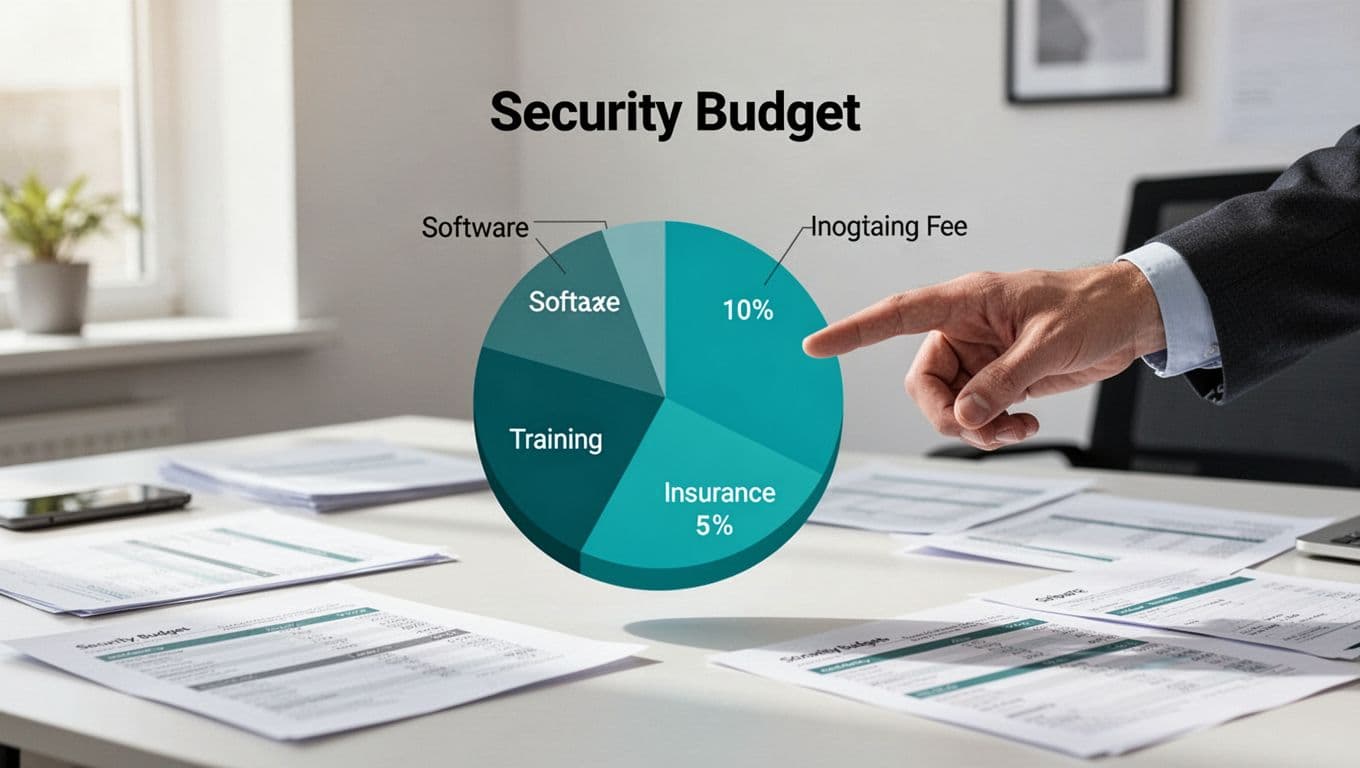
Divide your total into clear buckets. Tech tools take 40 percent, people and training 30 to 40 percent, services 20 percent, and extras like tests 10 percent.
For a $10,000 annual pot in a 20-person firm:
- Endpoint protection and email security: $4,000 (firewalls, anti-phishing).
- Backups and recovery: $2,000 (cloud services with ransomware checks).
- Staff training: $2,000 (annual phishing simulations).
- Cyber insurance: $1,500 ($1-2 million coverage).
- Vendor audits and tests: $500.
Use per-user math for simplicity. At $20 to $50 per user yearly for basics, scale easy.
Check Valydex’s small business guide for rollout plans. They suggest $150 to $250 per user monthly for starters. Tweak based on risks; skip advanced logs if you’re small.
Review quarterly. Shift funds if AI threats spike.
Prioritize Cyber Insurance and Basics
Insurance isn’t optional now. Carriers demand proof of controls like MFA everywhere, endpoint detection, and backup tests. Without them, premiums soar or coverage drops.
Expect $1,000 to $3,000 yearly for $1-2 million limits. Document policies and training logs to qualify. HUB Tech’s readiness guide lists exact steps.
Basics first: MFA blocks 99 percent of account hacks. Backups follow the 3-2-1 rule (three copies, two media, one offsite). Test restores quarterly.
Third-party risks demand attention. Audit vendors for security clauses in contracts. Tools cost little but save big.
Cyber insurance often requires annual penetration tests at $2,000 to $5,000. Skip them, and claims get denied.
Tie this to your plan. Allocate 10 to 15 percent for insurance and audits.
Handle Third-Party and AI Risks Smart
Vendors pose big dangers. In 2026, supply chain attacks rise, so check partners yearly. Ask for their security reports and limit access.
AI adds phishing that mimics bosses perfectly. Train staff to verify odd requests by phone. Budget $3 to $5 per user monthly for simulations.
Non-tech firms outsource monitoring to managed services. This covers 24/7 checks for $50 to $100 per user. No need for in-house experts.
Global trends show two-thirds of firms boost spends here by 25 percent. Start small: Free vendor questionnaires, then paid scans.
Keep it cost-effective. Focus on high-risk suppliers like payment processors.
Overcome Common Budget Hurdles
Tight cash flow hits everyone. Finance teams push back on “nice-to-haves.” Show ROI: Training cuts breaches by 82 percent human-error cases.
Common pitfalls include buying tools without owners or skipping tests. Balance scales between must-haves and savings.

Build flexibility. Reserve 10 to 20 percent for surprises. Partner with firms for fractional experts if hiring full-time hurts.
Get buy-in with examples. A $2,000 training spend avoids $164,000 ransomware hits. Bellator Cyber’s budget guide proves it.
Negotiate vendor deals. Bundle email and endpoint for discounts.
Track Progress and Adjust Yearly
Launch with quick wins like MFA rollout. Use dashboards from tools to monitor.
Set KPIs: Phishing click rates under 5 percent, patch compliance at 95 percent. Review monthly.
Annual audits keep you sharp. Adjust for new threats or growth. Tools like SDTEK’s IT budget guide offer templates.
If gaps persist, consider consultants. Book a Discovery Call with Bud Consulting for tailored advice on talent or culture shifts.
Stay consistent. Small tweaks compound over time.
Key Takeaways for Your Security Plan
Risk assessment sets your foundation, then benchmarks guide realistic spends around 7 to 10 percent of IT. Focus on basics like insurance, training, and backups amid 2026 threats such as AI phishing and supply chains.
You’ve got actionable steps now. Plug in your numbers, prioritize high risks, and track results. This approach protects your business without breaking the bank.
Strong security builds trust with customers and partners. Start today for peace of mind tomorrow.