table of contents
If you only audit your Zendesk account once a year, sensitive customer data can drift out of bounds long before the next review. A single broad role, a stale integration, or an unnecessary export right can expose much more information than you intended.
That risk manifests in support desks every day. The best solution is a repeatable review that checks roles, groups, brands, apps, exports, and data controls in one unified workflow. Here is a practical way to audit Zendesk permissions without turning the process into a long or overwhelming project.
Key Takeaways
- Apply the principle of least privilege: Restrict access by default, granting permissions only when necessary to perform specific tasks, and prioritize removing access immediately when a user’s role changes or they leave the organization.
- Audit beyond user roles: Exposure often occurs at the intersection of groups, brands, ticket fields, third-party integrations, and data exports; a complete audit must inventory every layer where customer data resides.
- Establish a recurring audit rhythm: Perform monthly reviews of admin accounts, API tokens, and integrations, while conducting broader quarterly assessments of roles and field visibility to prevent data drift.
- Monitor the audit log: Regularly filter and review your Zendesk audit log for configuration changes to ensure that security settings remain intact and to quickly identify any unauthorized adjustments.
Quick table of contents
- Why Zendesk permissions matter
- How Zendesk access layers create hidden exposure
- A practical Zendesk permission audit, step by step
- Risky Zendesk settings that expose customer data
- Ways to reduce customer data exposure
- Zendesk permission audit checklist
- Conclusion
- FAQ
Why Zendesk permissions matter
Zendesk holds more than just support tickets. It often stores names, emails, phone numbers, order details, account history, and internal notes. Because of this, managing your account configuration is essential, as access control represents a significant privacy, security, and compliance priority.
When permissions are too wide, data exposure usually starts small. One agent sees a field they do not need. One integration keeps pulling tickets after a contractor leaves. One export lands in the wrong inbox. None of those mistakes looks huge on its own, but together they create a path to a reportable incident.
Zendesk itself points admins toward the principle of least privilege in its general security best practices. That is the right baseline. Give each person only what they need, then review it often.
If a permission can reveal personal data, treat it like a security control, not a convenience setting.
How Zendesk access layers create hidden exposure
A Zendesk audit gets complex when teams focus solely on agent roles. While roles are important, they are only one piece of the puzzle. You can manage how these roles and groups interact within the Admin Center, but real exposure usually emerges from the intersection of brands, views, ticket fields, attachments, apps, and data exports.
A few examples make the problem easier to see. An agent can hold the correct title and still see too much because they belong to the wrong group. A light agent may have limited ticket rights but could still view sensitive comments through shared processes or a lack of granular permissions regarding specific ticket fields. Even a well trained admin can create risk if their account allows them to export data freely or approve third party apps without oversight.
Customer data also moves through more than just standard tickets. It flows through secure links, side conversations, macros, APIs, and integrated third party tools. Zendesk’s Trust Center is a useful reference when you need to align your review with vendor security and privacy posture.
A practical Zendesk permission audit, step by step
A good audit starts with a full inventory. Do not jump straight into roles and stop there. The goal is to see who can access what, how they get that access, and where data can leave Zendesk.
1. Build a complete access inventory
List every admin, agent, light agent, suspended user, contractor, and service account. Add custom roles, standard roles, groups, brands, apps, the Support API, and the specific API token list. If you skip one layer, the rest of the review will miss something.
Save that inventory in one place. You need a clear snapshot before you change anything. Otherwise, you will not know whether a change reduced access or broke an active workflow.
2. Review active users and remove stale access
Look for people who changed teams, left the company, or no longer handle customer tickets. Old access is one of the easiest ways to leak data. It lingers because nobody owns it.
Check suspended users too. A suspended account should not stay connected to old groups, apps, or tokens. If a person or service no longer needs access, remove it fully. Waiting for the next quarter is too slow.
3. Inspect each role for real access, not just the title
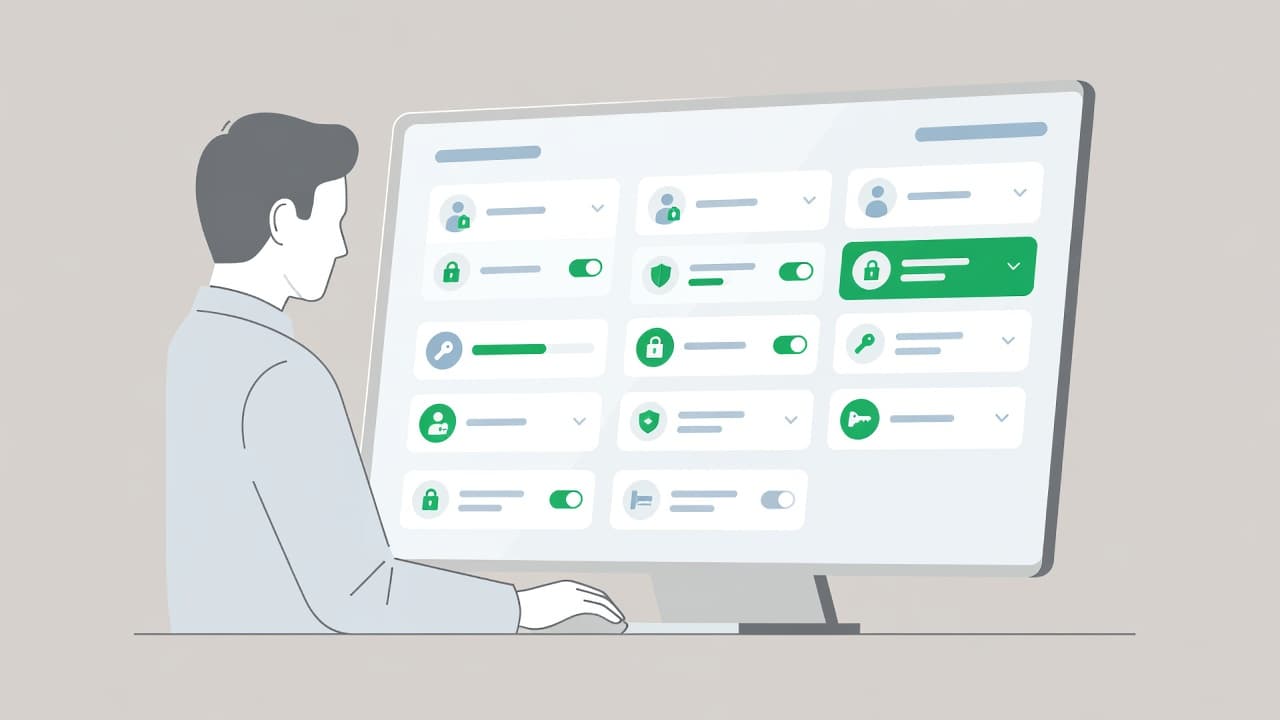
A role named support lead can hide broad permissions. Open each role and look at the underlying rights. Focus on who can view tickets, edit users, manage settings, export data, and use the API.
On Enterprise plans, you can use the Admin Center to create custom roles for better control. A custom role should match a task, not a job title. That is the difference between manager access and a clean access model.
4. Check groups, brands, and views
A role can look safe on paper and still expose data through group membership. Make sure agents can only see the queues, brands, and ticket sets they need. Shared views are another common blind spot, because they can surface tickets across teams.
This is where many reviews fail. They stop at who is an agent and never ask which tickets can that agent actually see. Those are different questions.
5. Review ticket fields, comments, attachments, and download behavior
Sensitive data often lives in fields that were added for convenience. Names, phone numbers, account IDs, and notes can show up in more places than you expect. Remove fields you do not use. Hide fields that do not belong in every workflow.
Attachments deserve the same attention. Shared download links can spread farther than the original ticket. Secure downloads help reduce that risk. Redaction and masking help even more when agents do not need to see the full value of a field.
6. Audit apps, integrations, and API tokens
Apps and integrations often outlive the people who installed them. They can keep reading data long after the business case is gone. Review every app for purpose, owner, scope, and last use.
Ask one simple question for each connection, does it need ticket data at all? If the answer is no, remove it. If the answer is yes, narrow the scope and document the reason.
7. Test with a low-privilege account
A review is not complete until you test it. Use a low-privilege account and walk through a normal support flow. Open tickets, internal notes, attachments, and customer fields. Then check what appears.
This test catches surprises that role charts miss. If a user can see a ticket they should not, or download a file they should not, the permissions model needs work.
8. Check authentication and sign-in activity
Strong permissions lose value if the login layer is weak. Turn on two-factor authentication for all users. Review recent sign-ins and access logs for unusual IP address activity. Remove old sessions and password risk where you can.
A role review and a login review belong together. One controls who should get in. The other helps you spot who got in when they should not have.
9. Monitor the audit log and audit trail
Admins should consistently check for configuration changes by filtering the audit log. Regularly checking the audit log allows you to verify that no unauthorized adjustments have been made to your security settings. Keep this practice as a recurring task to maintain a secure environment.
Risky Zendesk settings that expose customer data
Some settings create more exposure than others, especially as your team scales. If you are operating on Enterprise plans, you have access to more granular controls, but these advanced features often lead to accidental over-permissioning. The table below outlines common risk points and safer alternatives for your Zendesk environment.
| Risky setting | Exposure it creates | Safer approach |
|---|---|---|
| Misconfigured account settings | Broad access that violates the principle of least privilege | Regularly audit account settings to restrict permissions to specific groups and brands |
| Broad agent role | Agents see tickets they do not need | Limit agent access to only the specific groups and brands required for their role |
| Light agent with wide access | More people can see sensitive internal notes | Keep light agents narrow and task-based to limit internal data visibility |
| Export rights for many users | Sensitive data can leave the platform quickly | Restrict export rights to a small number of approved reviewers |
| Unchecked apps and API tokens | Third parties can pull ticket data without oversight | Review every third party connection and remove all stale tokens |
| Visible PII fields and plain attachments | Personal information appears where it should not | Mask sensitive fields and use secure file download protocols |
These settings do not always look dangerous during the initial setup. They become high-risk hazards when teams grow, change support queues, or add integrations without conducting a fresh security review.
Nightfall’s guide to protecting customer data in Zendesk is useful if you want more detail on masking and data reduction. The main idea is simple: less visible data means less exposure for your organization.
Ways to reduce customer data exposure
A clean audit paired with ongoing security monitoring should lead to fewer places where sensitive data can live. That often matters more than adding another complex control.
- Use least privilege by default. Start narrow, then expand access only when a real task needs it.
- Keep admins small. Admin rights should stay with a tiny, documented group.
- Use custom roles for task-based access. Job titles change, but access needs stay tied to work.
- Separate brands and queues. Cross-brand visibility often creates accidental exposure.
- Mask or redact personal data. If agents do not need the full value, they should not see it.
- Audit your business rules and account settings. Ensure that automated workflows and configuration choices are not unintentionally surfacing sensitive information.
- Turn on secure downloads. Attachment links should not behave like public files.
- Reduce the data you collect. Delete fields, forms, and prompts that do not support the workflow.
- Review integrations on a schedule. A stale app can be more dangerous than a new one.
- Set clear export rules. Restrict who can export, where exports go, and how long they stay.
- Keep retention tight. Do not store customer data longer than the business needs it.
The cleanest privacy control is the data you never collect.
If you need help mapping those controls to a real setup, Book a Discovery Call with Bud Consulting and pressure-test the current model of your Zendesk account before the next audit cycle.
Zendesk permission audit checklist
Use this checklist as a comprehensive guide to maintain security after system updates, personnel changes, or onboarding waves. To ensure effective oversight, assign a specific owner and a due date to every item on this list. Regularly reviewing your Zendesk security configuration helps prevent unauthorized access and data leaks.
| Check | Pass condition | Frequency |
|---|---|---|
| Admin accounts | Only approved staff have admin rights | Monthly |
| Agent and light agent roles | Access matches current job duties | Quarterly |
| Groups and brands | No cross-brand or cross-team leakage | Monthly |
| Ticket fields and forms | Sensitive fields are limited or masked | Quarterly |
| Apps, API tokens, and integrations | Only approved connections remain active | Monthly |
| Exits and role changes | Access is removed the same day | Immediate |
| Exports and downloads | Only a small group can export data | Monthly |
| Authentication settings | 2FA is on and login activity is reviewed | Monthly |
| Audit log entries | All configuration changes are tracked and verified | Monthly |
If one item fails, treat it as a critical security finding rather than a mere suggestion. Small oversights in your permissions architecture can lead to significant vulnerabilities, so stay diligent to ensure your support platform remains secure.
Conclusion
Zendesk permission reviews are most effective when they follow the flow of information. Start by evaluating who can see specific tickets within your Zendesk account, then verify how that data moves through your systems. Roles, groups, brands, apps, exports, and login controls all require consistent oversight to maintain a secure environment.
The safest setup is usually the simplest one. Limit access by default, and only grant permissions when the work calls for it. If a specific setting exposes customer data without a clear business requirement, it should be restricted.
A strong audit process does more than just reduce risk. By maintaining a detailed audit trail, you can better track configuration changes, ensuring that support leaders, compliance teams, and security teams maintain a shared and accurate view of your Zendesk environment.
FAQ
How often should you audit Zendesk permissions?
Monthly reviews are ideal for managing admins, API exports, and active integrations. If you want a more streamlined process, you can export audit logs as a CSV file to facilitate a deeper, external review of user activities. Quarterly reviews are sufficient for broader role and group checks. Additionally, any staffing change, vendor update, or security incident should trigger an immediate audit.
What Zendesk permissions create the biggest exposure risk?
Admin rights, export privileges, unrestricted apps, broad group access, and visible personal data fields represent the most significant threats. You should also monitor ticket audit events, as these logs are a key part of identifying exposure risk. Light agent access also deserves close review, because it is easy to inadvertently expand these permissions over time.
Should you review Zendesk integrations separately from user roles?
Yes. Integrations can read or move customer data even when user roles appear secure. To stay protected, you should check the audit log for any suspicious connection patterns. When reviewing the audit log, it is helpful to categorize items by activity type to distinguish between standard operations and potential anomalies. Furthermore, filtering the audit log by activity type allows you to find specific events more efficiently. Always verify the business purpose, data scope, owner, and last use for every app, API token, and custom connection.
Does two-factor authentication matter in a permission audit?
It certainly does. A strong permission model can still fail if an attacker gains access to a user account. Two-factor authentication, login review, and session cleanup provide a critical second layer of control that reinforces your broader audit efforts.