table of contents
Field service teams are the front line of physical security. Every time a technician arrives at a site to install or service equipment, they interact with hardware that could be a target for unauthorized access. If a device has been altered, it can compromise the security of an entire network. Training your team to identify these risks is an essential part of maintaining a secure environment.
When your staff knows how to spot signs of interference, they become your most effective security sensors. This guide explains how to build a consistent, rigorous process for identifying potential security gaps during routine field visits.
Establishing a Standard for Inspection
Consistency is the bedrock of effective field security. You cannot rely on individual judgment alone, as different technicians may look for different things or overlook subtle clues. You need a standardized procedure that dictates exactly what to look for and how to document the state of every device.
Start by defining a baseline for what a healthy, untouched device looks like. Provide high-quality photographs of clean units so technicians can compare what they see in the field against a known good state. This visual comparison simplifies the process, making it much easier to detect deviations.

When training your team, encourage them to look for physical indicators of compromise. These include scratches around port openings, mismatched screws, missing security seals, or loose cabling that seems out of place. A device should look identical to the reference photos provided. If anything feels off, the technician must treat the equipment as compromised until proven otherwise.
Key Indicators of Physical Interference
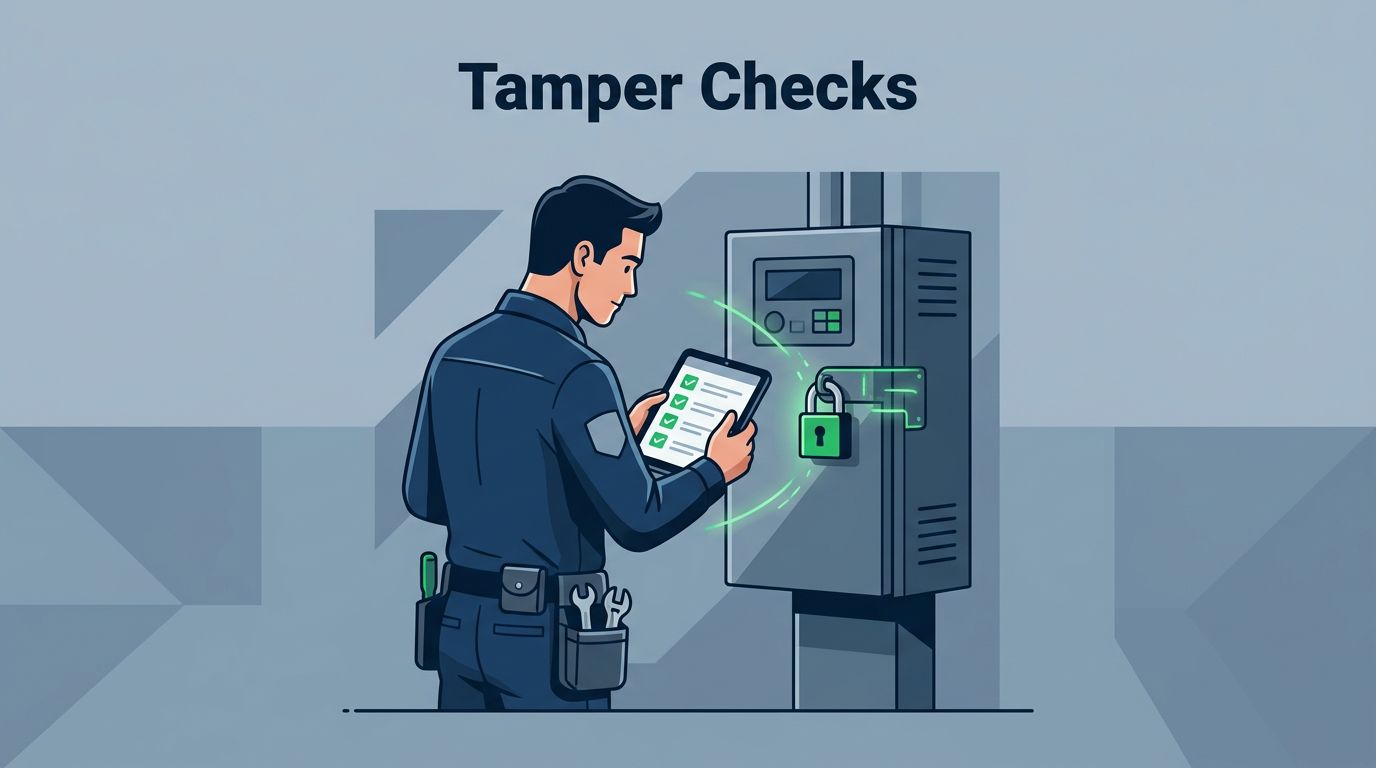
To perform effective device tamper checks, technicians must understand what physical evidence of unauthorized access looks like. Often, the signs are subtle, like a slightly misaligned case or a sticker that does not sit perfectly flat. Teach your team to approach every device with a skeptical eye, regardless of who serviced it last.
Common physical signs that merit immediate investigation include:
- Seal integrity: Look for broken, peeled, or non-matching serial numbers on security tamper-evident tape or holographic seals.
- Hardware variances: Check for screws that are stripped, loose, or of a different type than the standard factory hardware.
- Case condition: Inspect the chassis for fresh scuffs, pry marks, or gaps where the seam should be flush.
- Port abnormalities: Note any glue residue, internal debris, or signs of forced insertion in network or USB ports.
- Cabling issues: Look for unauthorized taps, modified insulation, or cables that do not follow established routing standards.
When a technician spots one of these indicators, they must not attempt to fix the problem themselves. They should halt work immediately, secure the area, and escalate the finding to your operations team. If you need help developing these specific protocols, you can Book a Discovery Call with Bud Consulting to refine your security posture.
Training Teams on Documentation Best Practices
Documentation turns a routine check into a historical record. If a device is later found to be compromised, having a timestamped report showing it was clear during the last visit is invaluable. Digital checklists are far more effective than paper forms because they allow for the attachment of photos and GPS coordinates.

Train your staff to capture at least three photos per inspection: a wide shot of the installation environment, a clear close-up of the front-facing ports, and a detailed image of the security seals on the casing. These photos provide a trail of evidence that protects both the technician and the organization. If a device exhibits an issue, the photographic evidence serves as the primary data for your internal security team to make informed decisions.
Encourage your team to be descriptive in their notes. A report stating “equipment looks fine” is less useful than one that says “security seal on top panel is intact and matches the serial number in the registry.” Detailed logs force the technician to observe the device closely, which naturally improves their detection rate over time.
Escalation Procedures and Chain of Custody
When a technician identifies a potential breach, the response must be swift and predictable. You cannot leave the technician wondering what to do next. A well-defined escalation path keeps them safe and keeps the incident isolated.
Your policy should include clear steps for reporting. First, the technician should photograph the suspected tampering from multiple angles. Next, they should notify their supervisor via a pre-arranged urgent communication channel, such as a secure messaging app or a dedicated phone line. The device should then be taken offline, disconnected from the network, and physically secured until a specialist can arrive.
Maintaining the chain of custody is essential if you need to perform a forensic analysis later. This means documenting who touched the device, when it was secured, and where it was moved. Never hand off a compromised device to a third-party courier or a site manager without signing a transfer log. Every individual who handles the hardware must be accounted for to ensure the integrity of your investigation.
Building a Culture of Security Awareness
Technical procedures only work if your team feels empowered to act on them. Many technicians might feel uncomfortable flagging a potential issue because they do not want to cause a scene or interrupt site operations. Your job is to make it clear that their primary responsibility is security, not just speed.
Reward technicians who report potential risks, even if the eventual investigation finds that the device was not actually compromised. This positive reinforcement encourages a mindset where people look closely rather than rushing through their tasks. If a team member knows that their managers support them for being observant, they will be much more likely to speak up when something seems wrong.
Hold regular sessions where you discuss actual, sanitized incidents from your own history or the industry. Showing the team what an actual, compromised port looks like—or how a fake security seal differs from the real one—is far more effective than reading a training manual. Make these sessions interactive so that your technicians can ask questions and share their own experiences from the field.
Final Considerations for Field Operations
The success of your security strategy relies on the vigilance of your field staff. By standardizing the inspection process, providing clear visual references, and enforcing strict documentation, you create a system that is difficult for intruders to bypass unnoticed. The goal is to make physical security a routine habit rather than an afterthought.
Focus your training on the practical steps that technicians can perform in minutes. Ensure they have the right tools, like high-resolution cameras and intuitive digital reporting apps, to do their jobs effectively. When you provide the right environment, your team will develop the confidence to protect your assets and maintain the integrity of your network across every location.