
table of contents
Your security team fields the same questions every day. Phishing reports pile up. Employees struggle with MFA glitches or password resets. Tickets eat hours that could go to real threats. A well-built security knowledge base fixes this. It puts answers at employees’ fingertips so they act fast without calling IT.
You know the pain. Outdated docs gather dust. No one searches them because they’re hard to find or read. This guide shows you how to create one your teams use. Start with structure, then content, governance, and metrics. You’ll cut tickets and boost compliance.
Design a Clear Taxonomy
Employees need answers now, during a suspicious email or laptop lockout. Base your security knowledge base on their real needs. Group content by moments like “Report a Phish” or “Fix MFA.”
Think task-first, not department-first. Top categories might include Policies, Self-Service Fixes, Incident Response, and Awareness Training. Under Self-Service Fixes, add Password Reset, MFA Troubleshooting, and Device Security. Policies covers Travel Rules and Data Handling.
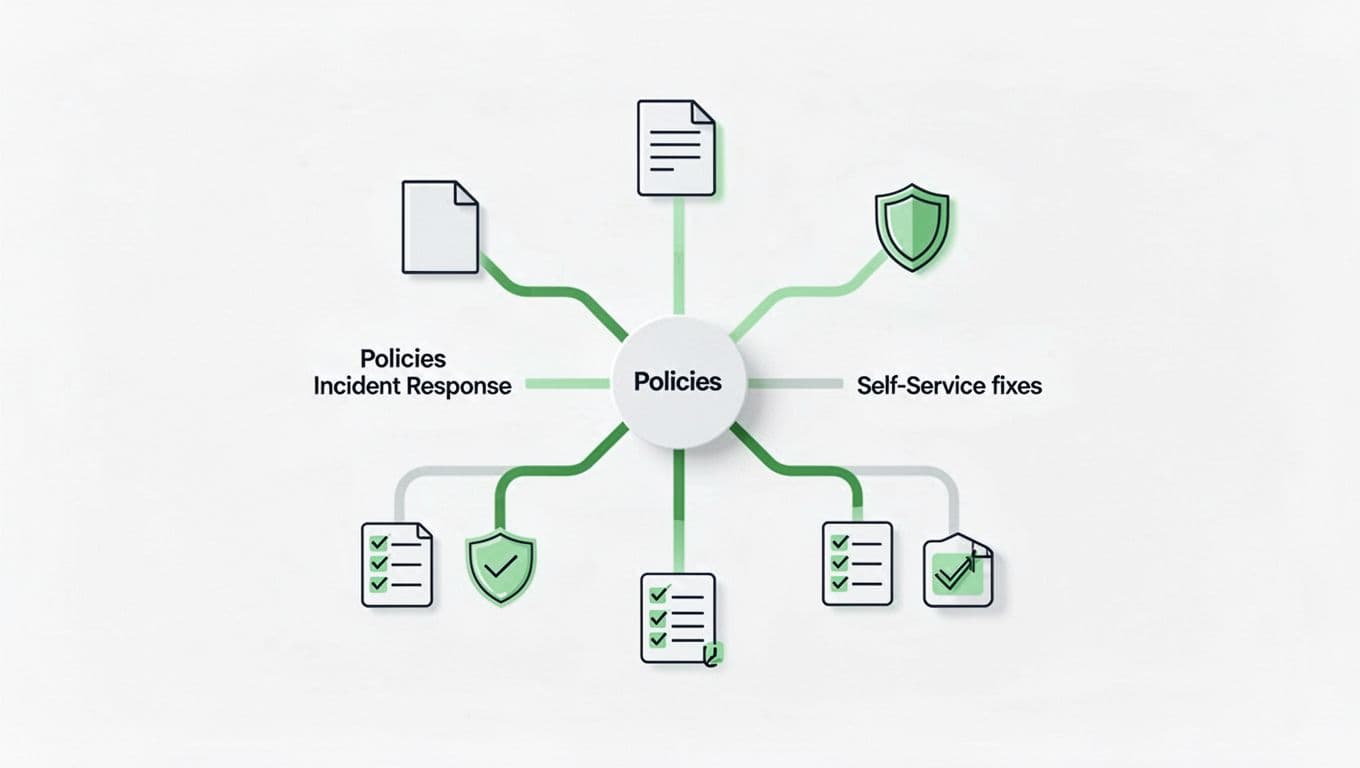
This setup matches how people search. For example, organize content by user tasks like onboarding or support. It beats org-chart silos. Test it with a pilot group. Ask what they’d search for first. Adjust branches based on feedback. Keep levels shallow, three max, so no one clicks forever.
Add tags for cross-links. “Phishing” spans Awareness and Incident Response. This taxonomy scales as your org grows.
Create Content Employees Will Read
Great structure fails without readable articles. Write for busy readers spotting a scam at lunch. Use short steps, bold key actions, and visuals.
Format each article like this: Problem header, then numbered steps, FAQs, and related links. For phishing reports: Step 1: Forward email to security@yourcompany.com. Step 2: Note sender details. Include screenshots of red flags, but blur sensitive parts.

Keep language plain. “Click the authenticator app notification” beats jargon. Aim for scans in 30 seconds. Use templates for consistency.
Examples work best. MFA reset article: List common errors first, like “app not syncing.” Then steps with if-then branches. End with “Still stuck? Escalate here.” This builds self-service habits.
Prioritize high-impact topics. Track tickets to spot repeats, like device wipe for travel. Update quarterly to fight knowledge decay.
Assign Ownership and Build Feedback Loops
No one owns it, no one uses it. Assign article owners by topic. Security ops owns incident response. IT handles MFA fixes. They review every six months or after incidents.
Set cadences. Policies get quarterly checks. Self-service updates after tool changes. Use platform reminders.
Feedback matters. Add thumbs-up/down at article ends. Ask “Did this solve it?” Route no’s to owners. Integrate with Slack or email for quick reports.
For governance, limit access with roles like admin, editor, viewer. Admins manage platform. Editors tweak content. Viewers read only. This keeps it secure yet open.
Owners track policy acknowledgments. Require reads and quizzes for compliance topics. Low completion? Push via comms.
Boost Search and Integrate into Workflows
Search fails, adoption tanks. Use full-text search with synonyms. “Two-factor” pulls MFA articles. Auto-suggest common queries.
Embed in tools. Slack bot queries the base. Service desk links top articles pre-ticket.
Make it mobile-first. Employees check phishing on phones. Fast load, big buttons.
Test usability. Time how long phishing reports take. Aim under two minutes. Tweak based on data.
Roll Out and Track What Matters
Start small. Pick 20 high-ticket articles. Launch to one department. Train via town hall: “Search here first.”
Promote weekly. Email tips like “New MFA guide.” Gamify with badges for self-solves.
Measure success. Watch article views, search success rate, and ticket deflection. Deflection is views without follow-up tickets in 24 hours.

| Metric | Target | Why It Counts |
|---|---|---|
| Article Views | 20% of employees weekly | Shows habit forming |
| Search Success | 80%+ find in first result | Proves findability |
| Ticket Deflection | 30% reduction | Frees your team |
| Policy Ack | 95% completion | Ensures compliance |
High views but low deflection? Rewrite those articles. For more on ticket deflection metrics, check proven setups.
Scale after three months. If metrics climb, go company-wide.
Put It All Together
A security knowledge base thrives on clear paths to answers, fresh content, and real metrics. Teams skip tickets for phishing reports or MFA fixes. You gain time for threats that matter.
Build yours task by task. Start with taxonomy and top articles. Watch deflection rise. Employees stay secure without constant hand-holding.
Need help with security culture or talent? Book a Discovery Call with Bud Consulting. They’ll guide your next steps.




