
table of contents
Shared mailboxes handle team emails for HR, support, or finance. They seem safe. But attackers love them. In 2025 and 2026, hackers set hidden rules in Microsoft 365 mailboxes to steal payroll data or fake payments. One group hid bank emails and rerouted salaries.
You manage these boxes. Fraud slips in through loose access or odd logins. A solid shared mailbox audit spots risks fast. This guide gives steps to check yours today.
Spot Common Fraud Risks in Shared Mailboxes
Fraud hits shared mailboxes hard. Multiple users mean more entry points. Attackers grab delegate access. They send fake emails or forward sensitive info.
Recent cases show the pattern. Hackers create rules that delete alerts or move vendor threads to junk. Proofpoint found this in 10% of Q4 2025 breaches. They hid “payment list” emails for payroll scams.
Other signs include bulk deletes or sends from the box. Ex-employees keep permissions. No logs mean you miss it all.
Check these indicators first:
- Sudden external forwards.
- Logins from new countries.
- Mass item access without business need.
Run audits quarterly for high-risk boxes like finance. That stops losses early.
Enable Full Mailbox Auditing
Start with logs. Microsoft 365 turns on auditing by default for shared mailboxes. But verify it covers owners, delegates, and admins.
Connect to Exchange Online PowerShell. Run this:
Get-Mailbox -Identity "shared@yourdomain.com" | FL DefaultAuditSet, AuditAdmin, AuditDelegate, AuditOwner
You want “Admin, Delegate, Owner” listed. If missing, set it:
Set-Mailbox "shared@yourdomain.com" -AuditDelegate "Create, FolderBind, HardDelete, MailItemsAccessed, Move, New-InboxRule, SendAs" -AuditAdmin "same list" -AuditOwner "same list"
New in 2026: FolderBind logs folder peeks. MailItemsAccessed tracks opens (E5 needed). Boost retention to 1-10 years via Purview.
For deeper setup, see Microsoft’s mailbox auditing guide. This catches rule changes or fake sends.
Test a search:
Search-UnifiedAuditLog -StartDate 04/01/2026 -EndDate 04/25/2026 -FreeText "shared@yourdomain.com" -Operations SendAs,New-InboxRule
Empty results? Auditing works. Now dig in.
Review Access and Permissions
Permission sprawl tops fraud lists. FullAccess lets anyone read or delete. SendAs fakes sender identity.
List them monthly:
Get-MailboxPermission "shared@yourdomain.com" | Where {$_.User -notlike "NT AUTHORITYSELF"}
Remove ex-users. Enforce phishing-resistant MFA like FIDO2. Block legacy auth in Conditional Access.

Segregate duties. Finance box? No sales access. Review folder-level perms too. Use Microsoft’s shared mailbox investigation tips for delegate tracking.
Offboard fast: Yank perms, scan their logs, delete old rules. This plugs leaks.
| Permission | Risk Example | Fix |
|---|---|---|
| FullAccess | Full read/delete | Limit to active staff |
| SendAs | Fake invoices | Audit sends weekly |
| Folder | Hidden snoops | Enable FolderBind |
Trim access. Risk drops.
Check Inbox Rules and Forwarding
Rules hide fraud best. Attackers forward cash requests outside. Or delete boss warnings.
Hunt them:
Get-InboxRule -Mailbox "shared@yourdomain.com"
Flag forwards to external domains. Deletes on keywords like “bank”. Nonsensical names scream trouble.
Block via transport rules. Alert on external forwards.
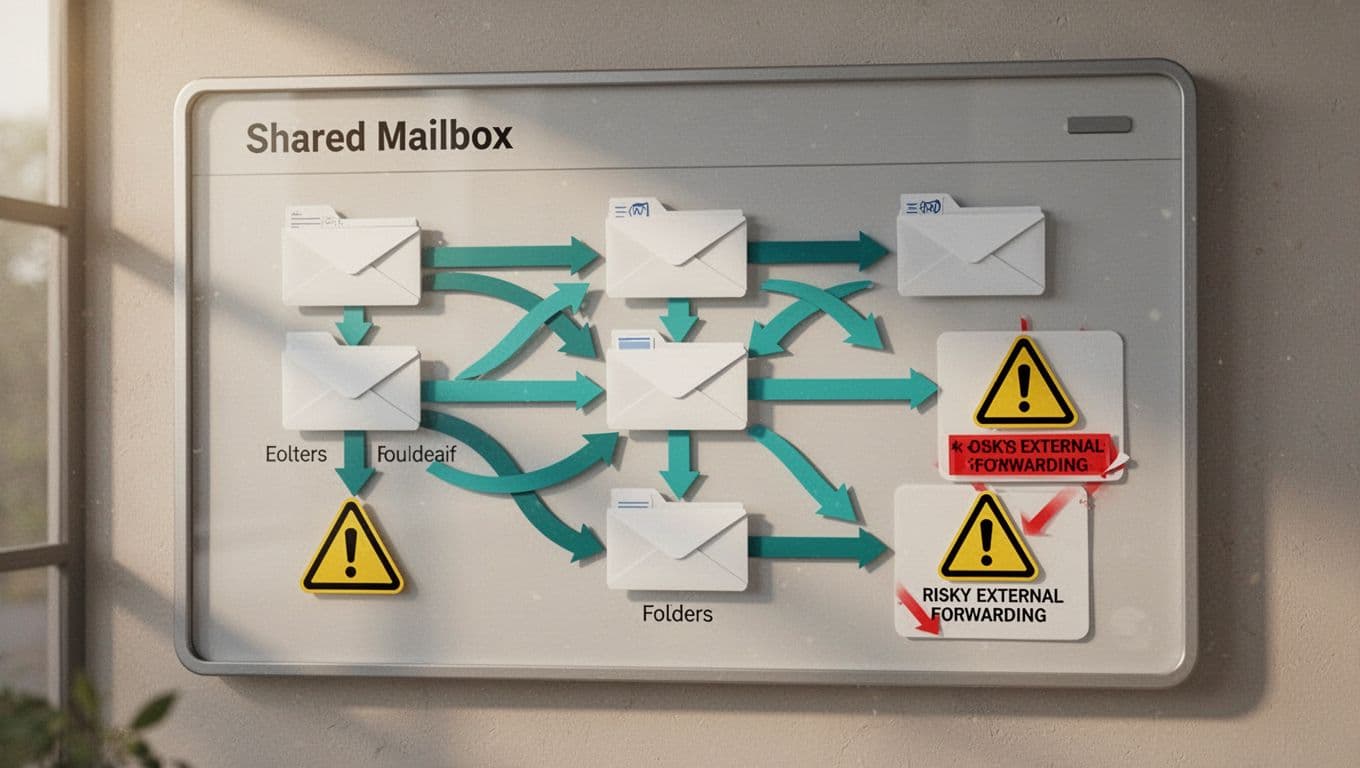
See details in Proofpoint’s report on mailbox rule abuse. They caught payroll hijacks this way.
Delete shady rules. Recheck logs post-cleanup. No more blind spots.
Analyze Login Activity and Audit Logs
Logins tell stories. Spot anomalies like USA to China in minutes.
Query Unified Audit Log:
Search-UnifiedAuditLog -FreeText "shared@yourdomain.com" -Operations FolderBind,MailItemsAccessed -ResultSize 500
Look for spikes. Multiple users at odd hours. Bulk downloads.
Feed to SIEM for alerts. Graph logins by IP or device.

Use Microsoft’s audit log search for mailboxes. Flag SendAs from unknowns. High-risk? Weekly checks.
Run Periodic Access Reviews
Audits fail without routine. Schedule monthly for all shared boxes.
Steps:
- Export perms and rules to CSV.
- Match against active directory.
- Review logs for past 90 days.
- Document changes.
Test segregation. One person approves? Split duties. Automate with PowerShell scripts.
Tools like Purview help. But hands-on reviews catch what bots miss.
Key Takeaways for Fraud Prevention
Shared mailboxes need tight controls. Enable full audits, trim perms, hunt rules, and scan logs. Do it often.
Fraud like 2025 payroll scams thrives on neglect. Your checks stop it.
Need expert eyes? Book a Discovery Call with Bud Consulting to strengthen your setup.
Start one audit today. Sleep better tomorrow.




