table of contents
Ransomware hit one company last year and locked their files. They rushed to backups only to find those encrypted too. You face the same risk if your backup recovery testing skips real threats.
Teams often restore data in calm drills. That misses how attacks corrupt backups or block access. This guide shows you how to run controlled tests against ransomware, corruption, and failures.
You will learn safe steps to confirm backups work when it counts. Start with your setup today.
Build a Secure Testing Foundation
Strong backups start with the 3-2-1-1-0 rule. Keep three data copies on different systems. Use two media types. Store one off-site and one air-gapped. Aim for zero recovery errors.
Make backups immutable with Write-Once, Read-Many tech. Attackers cannot delete or alter them. Add MFA to backup consoles. This stops credential theft during tests.
Set up an isolated cleanroom. Use a separate network or cloud segment. No links to production. Tools like Veeam’s SureBackup automate VM spins from backups. They check for bootability and malware.
Stakeholders agree on goals first. IT sets RTO and RPO targets. Security demands clean scans. Business owners pick critical apps. Meet weekly to align.
Document your baseline. List systems, backup schedules, and access rules. This avoids surprises.
Design Realistic Attack Scenarios
Pick scenarios that match your risks. Simulate ransomware that encrypts files and hits backups. Test data corruption from bad updates. Model credential compromise where hackers grab admin keys. Include infrastructure failures like site outages.
Start with tabletop exercises. Teams walk through steps without touching systems. Ask: What if backups infect too? How do we prove data stays usable?
For full tests, inject faults safely. Use scripts to mimic encryption on test data. Block network paths to backups. Fail over to secondary sites.

Teams in a secure center run these drills. They watch isolated restores on screens. Green checks confirm clean data.
Tailor tests to your stack. Cloud users simulate AWS outages. On-prem teams test tape restores. Run monthly for critical data, quarterly for others. For details on realistic scenarios, check Veeam’s guide to backup testing.
Execute the Test Step by Step
Pick a quiet window. Notify stakeholders. Shut production access if needed.
Follow this checklist:
- Isolate the environment. Firewalls block all inbound traffic.
- Select the last clean backup. Use immutable copies only.
- Scan for threats. Run antivirus on the backup image.
- Restore to a new VM in the cleanroom. Patch the OS first.
- Boot and test apps. Check data integrity with hashes.
- Validate business functions. Run queries or transactions.
Time each step. Note failures.
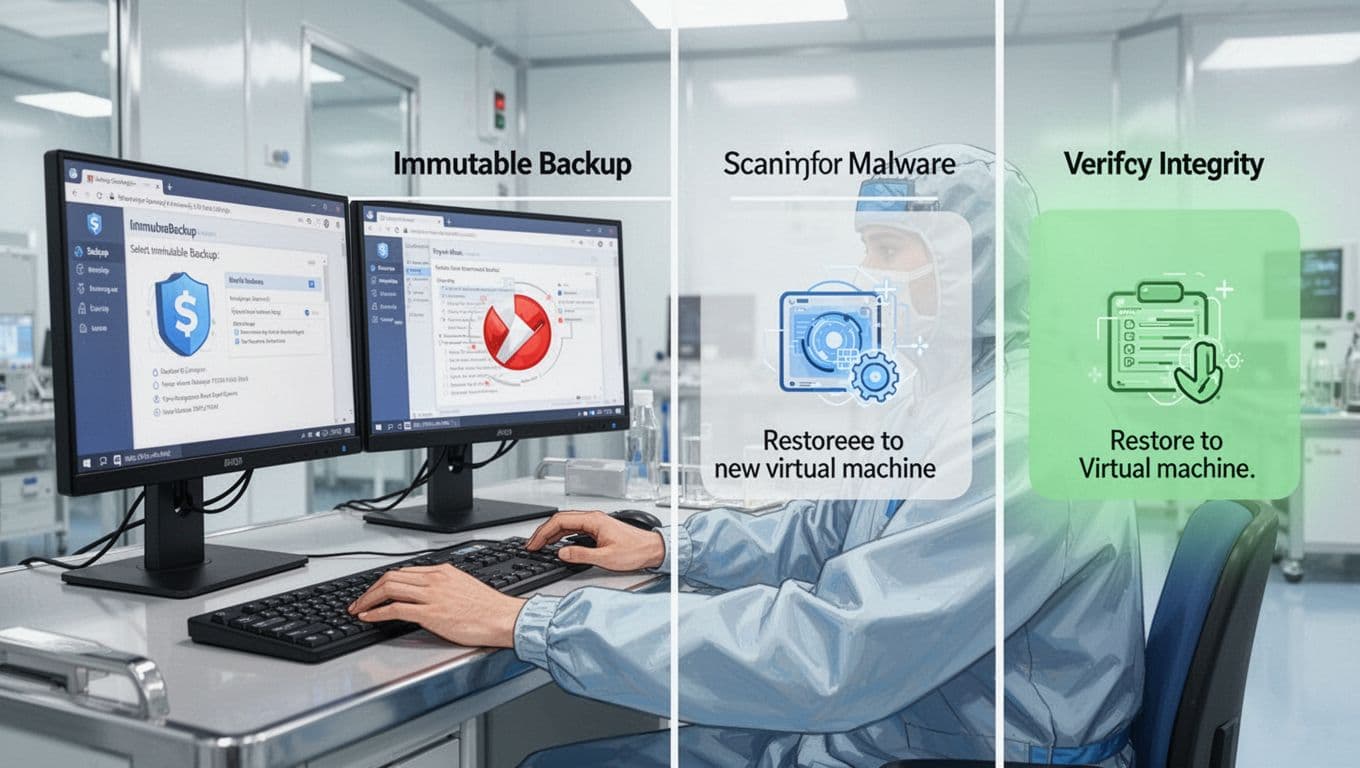
One tech follows the flow here. From backup pick to final check, each phase builds confidence.
If issues arise, pause and fix. Never risk live data.
Verify Clean Recovery and Hit Targets
Restores succeed only if data stays clean and usable. Scan restored systems end-to-end. Use tools like ClamAV or CrowdStrike.
Confirm no backdoors linger. Reinstall from golden images where possible. Test user access with MFA.
Measure against targets. RTO is restore time to operations. RPO is data loss window. Log actuals:
| Metric | Target | Test Result | Notes |
|---|---|---|---|
| RTO | 4 hours | 3.5 hours | VM boot fast |
| RPO | 1 hour | 45 minutes | Frequent snaps |
| Clean Scan | 100% | 100% | No malware |
This table shows quick wins. Adjust schedules if you miss marks.
Business owners sign off. They confirm apps work as expected.
Coordinate Teams for Success
Tests fail without buy-in. Form a cross-team group: security, IT ops, backups admins, and execs.
Assign roles upfront. Security leads scans. Infra handles restores. Business tests functions.
Use shared tools like Cutover for orchestration. Track progress in real time. For ransomware prep ideas, see Cutover’s recovery testing post.
Debrief after each run. What slowed you? Fix gaps now.
Schedule regular cycles. Automate where safe. This builds muscle memory.
If your team lacks skills in IAM or recovery drills, Book a Discovery Call with Bud Consulting. They source experts fast.
Conclusion
Regular backup recovery testing under attack conditions proves your plans hold up. You confirm clean restores, meet RTO and RPO, and spot weak spots early.
Immutable setups and cleanrooms make this safe. Teams coordinate to turn drills into real defense.
Run your first test this quarter. Your systems depend on it.