
table of contents
A backup that looks healthy on paper can still fail when you need it most. The real test is backup restoration testing, because recovery speed decides how long your business stays down after an outage, cyberattack, or storage failure.
Many teams assume backups are enough. They are not. You also need proof that the data can come back fast enough to meet business needs, support your RTO, and avoid a long, costly recovery window.
Backups and recoveries are not the same thing
A completed backup job only tells you that data copied somewhere. It does not tell you how long restore, validation, and cutover will take.
That gap matters. A company may meet its backup schedule and still miss its recovery goals by hours or days. For IT managers and business continuity teams, that creates a false sense of safety.
If you cannot restore fast enough, your backup is only storage with better paperwork.
Quarterly testing gives you a clear answer to a simple question: can you recover the systems that matter before business damage grows?
Common bottlenecks that slow restoration
Restore speed rarely fails for one reason. It usually breaks at several points in the chain.

Bandwidth is often the first ceiling. A backup stored offsite or in cloud object storage may restore slower than expected because network throughput cannot keep up with the data set size.
Storage performance can also drag recovery down. A backup repository may restore fine in a small test, then slow to a crawl under a larger load or during concurrent jobs.
Backup software settings matter too. Encryption, compression, deduplication, and post-restore verification can all add time. If those settings change, your old restore estimate may no longer be accurate.
Virtual machine and database recovery create another layer of delay. A VM might start quickly, but application dependencies, database consistency checks, and mount ordering can stretch the process. In database environments, one missing log or corrupt index can turn a fast restore into a long manual repair.
Staffing and process delays are easy to overlook. If only one engineer knows the restore steps, a weekend incident can stall while people search for access, approvals, or runbooks. During an actual crisis, small process gaps become big delays.
Why quarterly testing beats annual checks
Annual restore tests often miss what changes during the year. Infrastructure shifts. Backups grow. Teams change. Vendors patch software. A process that worked in January may struggle by October.
Quarterly testing catches those changes before they hurt you. It gives you four data points a year, which is enough to spot drift in restore time, success rate, and system priority coverage.
It also supports better risk decisions. If a critical server now takes 90 minutes longer to restore, you can adjust architecture, storage tiers, or business expectations before an incident exposes the gap. That is far more useful than finding out during an outage.
For MSPs and internal IT teams, quarterly tests also improve client or executive reporting. You can show trends, not guesses. That makes budget requests and remediation plans easier to justify.
A simple quarterly restore testing checklist
Use a repeatable test each quarter so the results stay comparable. Small changes make trend data less useful.
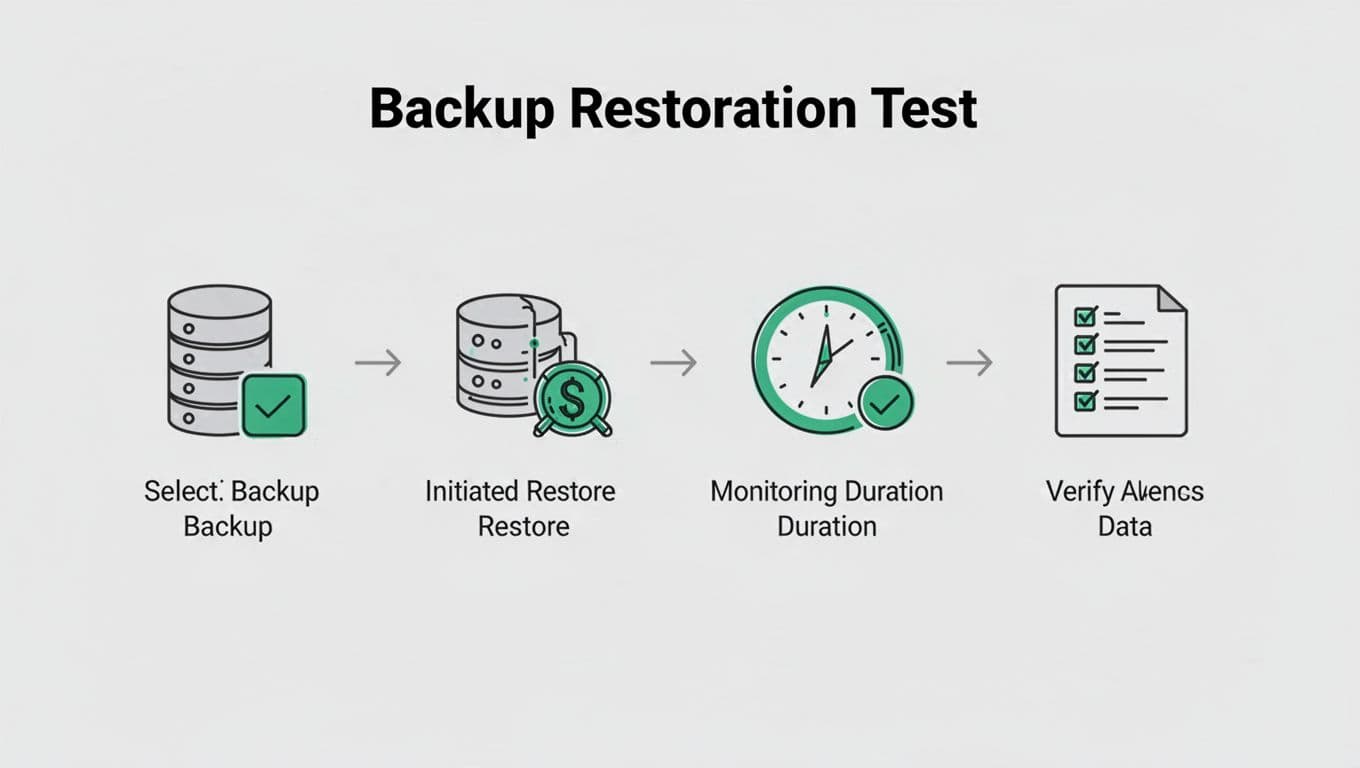
Start with the same core steps every time:
- Pick one critical system and one lower-priority system.
- Restore from the backup source you would use in a real incident.
- Measure how long the restore takes from start to usable state.
- Verify data integrity, application launch, and access controls.
- Record any manual steps, delays, or errors.
- Compare results with the last quarter and your RTO.
You can expand the test by rotating systems. One quarter might focus on a VM. The next can test a database or file share. That approach gives you broader coverage without overwhelming the team.
KPIs that show restore readiness
Tracking the right metrics turns a restore test into a management tool. Use a short set of KPIs and review them every quarter.
| KPI | Why it matters | What to watch |
|---|---|---|
| Actual restore time | Shows how long recovery really takes | Total time from start to usable service |
| RTO variance | Reveals the gap between plan and reality | Difference between target and measured time |
| Restore success rate | Shows reliability under test conditions | Successful restores vs. failed attempts |
| Critical system prioritization | Confirms business services come back first | Whether key apps restore before low-value systems |
These numbers help you spot patterns. If restore time rises while success rate stays high, the issue may be scale or bandwidth. If success rate drops, the problem may be software settings or process gaps.
Make quarterly testing part of business continuity
Quarterly restore testing works best when it is treated as a risk-reduction habit, not a compliance task. The goal is to reduce downtime, protect revenue, and support incident response under pressure.
If your team needs help tightening restore plans, reviewing recovery workflows, or filling a skills gap, Book a Discovery Call with Bud Consulting. A short review can uncover the issues that make restores slow before an outage does.
The question is not whether backups exist. It is whether they can bring systems back fast enough when the clock is already working against you.




