table of contents
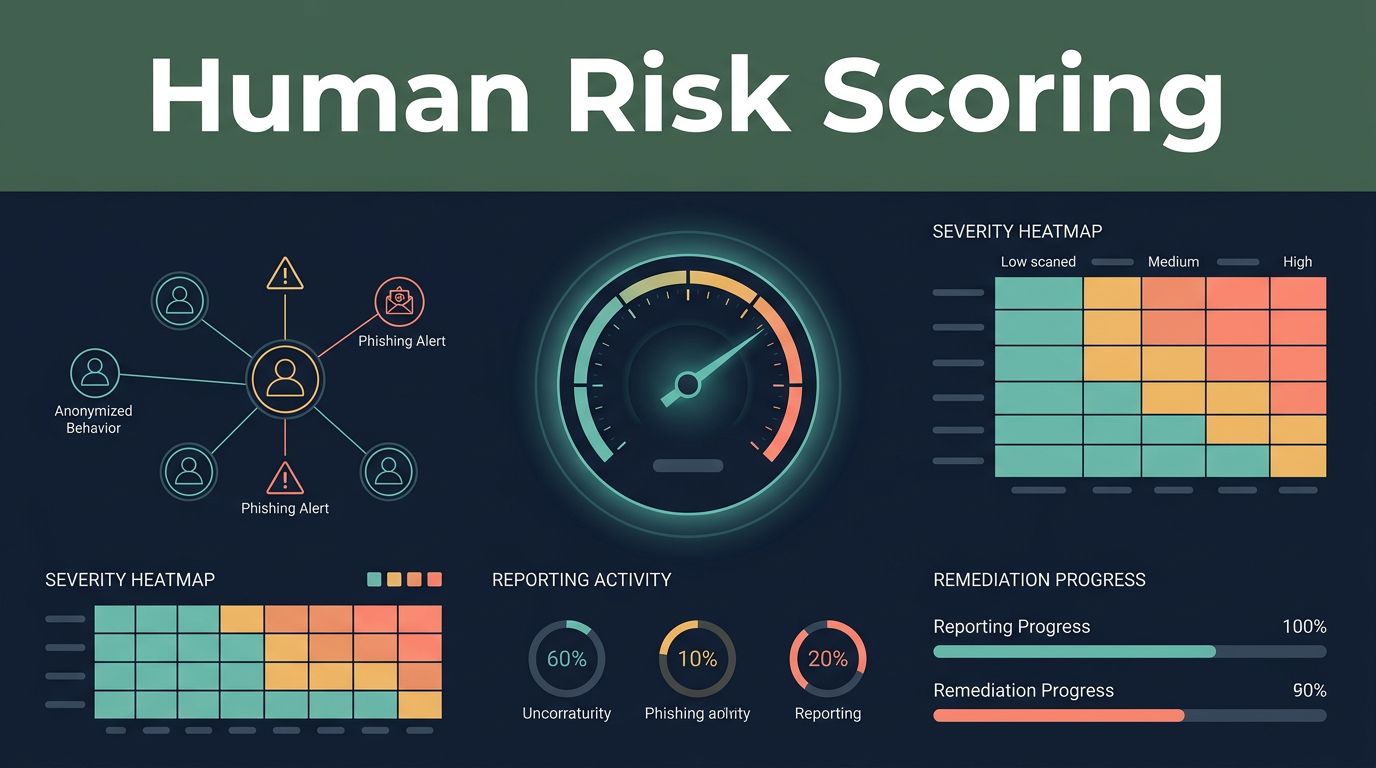
A phishing dashboard can show thousands of events and still leave security leaders without a clear decision. The Cofense human risk scoring approach is useful when it connects employee behavior, phishing reports, threat severity, and remediation activity in one operating view.
The score isn’t a verdict on an employee. It is a way to identify where phishing exposure is higher, which behaviors need attention, and whether security awareness work is changing outcomes. The Cofense human risk scoring dashboard should support better controls, targeted training, and faster response.
How the Cofense human risk scoring dashboard fits together
Cofense uses several related capabilities across its phishing defense and awareness products. The exact screens and metrics depend on the Cofense services your organization owns and how they are configured.
The most relevant areas include phishing reporting, threat analysis, employee engagement, risk scoring, and response activity. Cofense PDR, or Phishing Detection and Response, focuses on threats reported by employees and the actions taken against them. Its capabilities include report and cluster risk scoring, tagging, dashboards, automatic quarantine, manual quarantine, retroactive quarantine, and restoration workflows. The Cofense PDR Platform provides the current product context for these functions.
Human risk reporting adds a different view. It focuses on how employees interact with phishing simulations and suspicious messages. Public Cofense materials have described the Employee Engagement Index, or EEI, as a continuously updated proficiency score that can be viewed at the individual, cohort, group, and department levels.
These views answer different questions:
- PDR reporting asks which threats entered the environment and how the organization responded.
- Employee engagement reporting asks how people identify, report, or interact with phishing.
- Risk scoring helps prioritize users, groups, reports, clusters, and threats for follow-up.
A single number cannot replace these views. A high employee risk score may require training. A high threat score may require quarantine and investigation. Treating both as the same problem creates poor decisions.
Which metrics should security teams monitor?
The dashboard is most useful when each metric has a defined action behind it. If nobody knows what to do when a number changes, the number has limited operational value.
For employee behavior, the main measures include reporting rate, susceptibility rate, and proficiency score. Reporting rate shows how often users identify and report phishing attempts. Susceptibility rate highlights users or cohorts that are more likely to interact with simulated phishing. Proficiency score combines indicators of recognition and reporting into a broader view of performance.
Cofense-related scoring may also use behavior such as:
- Opening a simulated email.
- Clicking a link.
- Opening an attachment.
- Reporting the message.
- Entering credentials on a simulated landing page.
- Completing assigned security training.
The weight assigned to each event matters. A user who clicks once but reports the next three simulations is not in the same position as a user who repeatedly enters credentials and never reports suspicious messages. The dashboard should help security teams see that difference.
For threat operations, review the number of active threats removed from employee mailboxes. Separate manual quarantine from automatic quarantine where the product view allows it. Check the types of indicators of compromise involved, including URLs, attachments, domains, and other observable values. Review the most targeted employee mailboxes because targeting frequency can increase exposure even when the employee reports messages correctly.
Kymatio’s guidance on human risk management KPIs also treats human risk as a composite measurement rather than a single behavior. That distinction matters when building executive reports.
A user can have strong reporting behavior and still receive frequent attacks. Targeting volume and employee behavior must be reviewed together.
How to read a user or group risk score
Risk scores are relative indicators. They are not objective measures of character, competence, or intent.
Start by confirming the scoring period. A score based on the last 30 days means something different from a score based on a full year. Check the number of observations as well. A score based on one simulation shouldn’t receive the same attention as a score based on repeated activity across several campaigns.
Next, separate exposure from response. An employee may receive more phishing because they work in finance, handle payments, manage suppliers, or hold a public role. Their mailbox may be targeted often. That doesn’t prove poor security behavior.
Review the underlying events before assigning an intervention. Look at whether the user opened the message, clicked, opened an attachment, submitted credentials, or reported the email. Check training history and recent campaign results. The score should lead to a review of evidence, not replace it.
Group-level trends are often more useful than individual rankings. A department with low reporting rates may need a role-specific campaign. A cohort with strong reporting but repeated clicks may need more practical instruction on link inspection and sender verification. A group with good simulation results but weak real-phishing reporting may need a reporting workflow review.
Avoid treating a leaderboard as a performance contest. Leaderboards can encourage participation, but they can also expose personal information and create the wrong incentive. If used, keep the view voluntary, limited, and separated from employment decisions.
A practical interpretation model looks like this:
| Dashboard signal | What it may indicate | Suitable response |
|---|---|---|
| Low reporting rate | Users don’t recognize or trust the reporting process | Improve reporting access and run focused training |
| High susceptibility rate | Users interact with common phishing cues | Assign targeted learning and repeat testing |
| Credential submission | A high-impact behavior requiring attention | Provide immediate coaching and review account controls |
| High mailbox targeting | The user is frequently targeted by attackers | Add monitoring and confirm protective controls |
| Strong reporting with high click rate | Users notice threats late or report after interaction | Teach verification before clicking and reinforce reporting |
The takeaway is simple. Scores need context, time, and behavior detail. A dashboard that only ranks users is less useful than one that shows why risk changed.
Use the dashboard to improve phishing resilience
A risk score has value when it changes the next security action. Use a repeatable process.
First, establish a baseline. Record reporting, susceptibility, proficiency, threat volume, and response activity for a defined period. Don’t compare departments without checking differences in job role, mailbox exposure, campaign volume, and sample size.
Second, segment the results. Useful segments can include department, role, location, seniority, privileged access, or exposure to external email. Keep the segmentation limited to information that supports a clear security decision.
Third, select the intervention. A user who doesn’t report suspicious messages needs a different response from a user who reports accurately but clicks too quickly. Options may include short training, manager-supported coaching, phishing reporting exercises, extra mailbox controls, or a review of privileged access.
Fourth, validate the result. Run another controlled simulation or review real reporting behavior after the intervention. Compare the same measures over time. A lower susceptibility rate is useful, but faster reporting and fewer high-impact actions also matter.
Fifth, connect the result to technical controls. Training cannot compensate for weak identity protection, excessive privileges, unsafe email forwarding, or poor external sender controls. Use the dashboard alongside multifactor authentication, mail security, endpoint controls, and incident response data.
Cofense PDR supports this operational connection through report analysis, clustering, tagging, IOC feeds, and quarantine workflows. That makes it possible to move from an employee report to investigation and containment without treating awareness training as the only answer.
Security leaders should also report trends to executives in business terms. Show whether reporting improved, whether high-risk behaviors declined, how quickly threats were quarantined, and which groups still need support. Avoid presenting a user-level list to an executive audience.
Protect employee privacy while measuring risk
Human risk data can include sensitive information. It may connect a named employee to clicks, credential submissions, training history, or simulated failures. Security teams need clear boundaries before collecting and sharing this data.
Use the least amount of personal information needed for the stated security purpose. Keep individual views with the security awareness or incident response team. Use aggregated views for department and executive reporting. Define retention periods for campaign results and remove data that no longer supports an active need.
Access controls should match the sensitivity of the dashboard. Log access to user-level reports. Review permissions regularly. Keep HR, legal, compliance, and employee representatives involved where local rules require it.
The purpose also needs to be documented. Human risk scoring should support education, risk reduction, and control improvement. It shouldn’t become a hidden employee ranking system or a basis for punishment after one mistake.
Tell employees how the program works. Explain what simulations measure, how reporting is used, who can see results, and how users can get help. Clear communication improves trust and makes reports more useful.
Don’t use scores outside their design limits. A phishing simulation score doesn’t measure a person’s overall security judgment. It doesn’t prove negligence. It doesn’t predict whether someone will cause a future incident.
The safest policy is to use individual scores for support and aggregated trends for accountability.
What to confirm before evaluating the dashboard
Ask the vendor or implementation team for a product-specific walkthrough. The phrase “Cofense human risk scoring dashboard” can refer to different reporting needs across Cofense products, so confirm the exact edition, data sources, and available views.
Before purchase or deployment, confirm:
- Which product generates the score and which behaviors it includes.
- Whether real phishing reports, simulations, training history, or all three contribute to the score.
- Which views are available for individuals, cohorts, departments, and executives.
- Whether scoring rules and assessment criteria can be configured.
- How the platform handles API access, exports, and integration with security operations.
- How quarantine, restoration, reporter response, and case workflows operate.
- What privacy controls, retention options, audit logs, and role-based permissions are available.
- How scores change after a user reports a message or completes training.
Ask for sample reports based on your own use cases. A CISO may need quarterly trends. A phishing defense team may need daily targeted-mailbox data. A security awareness manager may need cohort-level campaign results. These are different requirements.
Use a short proof of value before expanding the program. Pick a defined population, agree on two or three outcome measures, and document the intervention process. The goal is not to produce more dashboards. The goal is to reduce risky actions and improve reporting quality.
If your organization needs help assessing human risk measurement, security awareness operations, or related security skills gaps, Book A Call With Us.
Conclusion
The Cofense human risk scoring dashboard is most useful when it combines employee behavior with phishing exposure and response data. Reporting rate, susceptibility, proficiency, targeting volume, threat severity, and quarantine activity each provide part of the picture.
Use scores to prioritize support, not punish users. Review the events behind every result. Protect personal data. Track whether targeted action improves reporting and reduces high-impact behavior over time.
A score is only useful when it leads to a better security decision. That is the standard security teams should apply to every dashboard.